
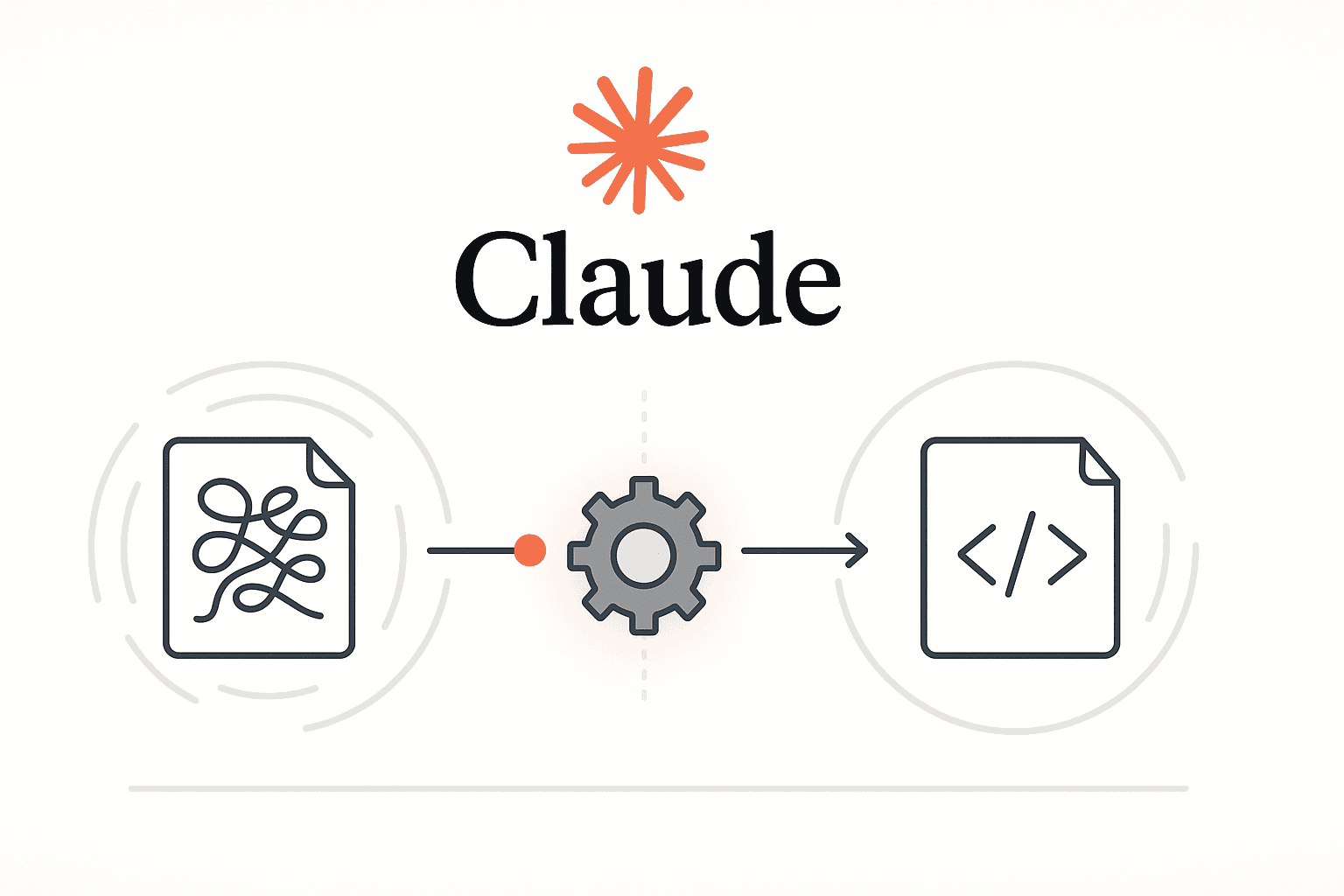

Refactoring legacy code in enterprise systems is a daunting but necessary task. Over years, products accumulate outdated patterns, tightly-coupled modules, and “shadow” logic that few understand. Such legacy code often works – sometimes only because nobody dares touch it – yet it slows down new development and poses risks. AI-assisted tools have matured to address this challenge.
Anthropic’s Claude is one such tool, offering an AI coding assistant that can analyze and modernize large codebases while preserving critical business logic. This article explores how enterprise teams (backend engineers, tech leads, full-stack developers, software architects) can leverage Claude to perform safe, structured, and scalable refactoring of legacy systems.
We’ll cover examples in Python, Java, JavaScript/Node.js, and PHP, and dive into using Claude’s Web UI, API, and CLI interfaces. We’ll also discuss how to integrate Claude into your development workflows – from pull request reviews to CI/CD pipelines – for continuous legacy code modernization.
Why Use Claude for Legacy Code Refactoring?
Modern AI coding assistants like Claude have shifted the balance of effort in refactoring tasks. Claude stands out for its ability to read and reason across very large code contexts – on the order of hundreds of thousands of tokens. In practical terms, this means Claude can ingest multiple files or an entire repository segment and understand the broader context.
It’s like bringing in an experienced senior developer who has read your entire legacy codebase. The model can identify repeated patterns, map out dependencies, spot dead code, and propose coordinated changes that maintain the original behavior. In one case, Claude even uncovered hidden business logic (e.g. a long-forgotten billing rule running silently) that had eluded human maintainers – something smaller-context tools couldn’t catch.
Preserving intent is a key benefit. Claude doesn’t just do find-and-replace; it analyzes what the code is intended to do and refactors while keeping that intent intact. For example, if you ask it to modernize a function, it will rewrite the implementation in a cleaner way but ensure the inputs/outputs and side-effects remain consistent (unless instructed to change them). It can even generate documentation or comments explaining the refactored code, and suggest or create regression tests to validate that behavior is unchanged.
Multi-language support: Claude is language-agnostic and has been trained on a wide variety of programming languages and frameworks. It knows the idioms and best practices of each. Whether you’re dealing with a Python monolith, a large Java enterprise application, a Node.js backend full of callback-style code, or a legacy PHP system, Claude can handle it. The assistant will produce idiomatic code for the target language – Python refactors will look Pythonic, Java suggestions will align with typical Java patterns, and so on. For instance, you could feed Claude a snippet of legacy Node.js code using nested callbacks and ask it to convert this to modern async/await syntax, or take an old PHP 5 script and modernize it to PHP 8 conventions. Because Claude is aware of each language’s ecosystem, it will use appropriate APIs and styles (e.g. using Java’s Streams API for collections, or Python’s list comprehensions) in its refactoring suggestions.
Large-scale reasoning: One reason Claude is especially suited for large projects is its enormous context window. In late 2025, Claude’s models like Claude 3.5 and 4 could accept contexts in the 100K+ token range, far exceeding typical code AI tools. This means Claude can effectively “understand” millions of characters of your codebase at once. It can detect if the same anti-pattern is present across dozens of modules and recommend a consistent fix everywhere. This coherence is crucial in legacy refactoring – you don’t want to fix one part and break another. Claude’s global view helps maintain consistency across the refactor.
Despite these advantages, it’s important to note that Claude doesn’t replace engineer oversight. It accelerates understanding and automates mechanical changes, but you still decide the direction and verify the results. As noted in one analysis, these AI tools “don’t remove the need for engineers, and they don’t remove the need for judgment”. Instead, they reduce the friction of reading and transforming code, saving time while you keep control. The best outcomes come when you give Claude clear guidance and constraints – treating it as a powerful assistant rather than an autonomous solver. In practice, that means crafting good prompts and establishing guardrails (we’ll cover examples) to ensure it follows your intent.
Finally, Claude integrates into professional workflows in ways that suit enterprise environments. Unlike some tools that only live in an IDE extension, Claude can be used through a chat interface, a command-line tool, or a programming API, which offers flexibility in how you adopt it. This makes it easier to fit into existing development processes (accessing private repos, working with CI systems, abiding by security policies, etc.). In the next sections, we’ll examine each interface and how they can be used for large-scale refactoring.
Claude Interfaces: Web UI vs API vs CLI
Anthropic provides multiple ways to interact with Claude for coding tasks, each suited to different scenarios. You can use the Claude Web UI, the Claude API, or the Claude Code CLI (command-line interface). All three tap into the same core AI capabilities, but they differ in convenience and integration ability. Here’s how and when to use each:
Claude Web UI (Chat Interface)
The Claude web interface (accessible via the Claude.ai chat) is the most straightforward way to use Claude. It’s essentially a chat where you can paste code and ask questions or request changes. This is ideal for quick analyses and small refactoring tasks. For example, a developer might paste a legacy function and prompt Claude: “Explain what this function does, and then refactor it to be more efficient and readable.” Claude will reply in the chat with an explanation followed by a proposed refactored code snippet. In the Web UI, you can have a back-and-forth conversation, refining your request or asking follow-up questions.
When to use the Web UI: Use it for ad-hoc help, understanding a code snippet, or refactoring a single file or function. It’s great for pair-programming style assistance on a smaller scale. If you’re confronted with a confusing 300-line function, you can drop it into the chat and say, “Summarize what this does and point out any issues.” Claude excels at explaining messy legacy code in clear terms. You can then ask it, for example, “Now refactor this function into smaller functions with the same behavior.” and it will break it down for you. Because Claude’s understanding of context is strong, it will preserve the function’s behavior while improving structure (e.g. splitting out helper functions, simplifying loops).
Limitations: The web UI requires manual copying of code, which may not be practical for extremely large files or many files at once. You’re also subject to the chat interface’s context length limits (which, while large, might not hold an entire huge codebase unless you selectively provide parts). For enterprise projects, the Web UI is best for preliminary explorations or one-off fixes. It’s less suited to automate sweeping changes across dozens of files. Additionally, you need to be cautious with sensitive code in a web UI – ensure it aligns with your company’s policy to input code into a third-party service. (Anthropic does not train on your API data by default, but data still leaves your environment.)
Claude API (Programmatic Access)
The Claude API is the primary interface for integrating Claude’s AI into your own tools, scripts, or workflows. It allows you to send prompts and receive Claude’s responses programmatically (e.g., via HTTP requests or an SDK), without manual intervention. This is essential for large-scale or automated refactoring efforts.
Batch refactoring and automation: With the API, you can write scripts to systematically refactor code in bulk. For instance, suppose you need to update every usage of a deprecated library function across a codebase of 500 files. You could write a Python script that scans for the deprecated call, and for each file found, sends a prompt to Claude like: “Replace all occurrences of old_function() with the new new_function() in this code snippet, making any other changes necessary for compatibility. Provide the diff in JSON format.” The API would return the changes, which your script can parse and apply automatically or output as patch files. By chaining such calls, you create a batch refactoring pipeline where Claude does the heavy code modification, and your script ensures it’s applied consistently across the repository.
Structured outputs: Unlike the chat UI which is free-form, with the API you can instruct Claude to respond in machine-readable formats. This is extremely useful for automation. For example, you might ask Claude to analyze code and output a JSON report. Consider a prompt: “Scan the following code for any use of eval() and output a JSON array of objects with keys: file, line, issue, recommendation.” Claude can comply by returning a JSON list of findings. Similarly, when performing a transformation, you can request Claude to return a unified diff (patch) or a list of changes in JSON. This structured output can then be fed into version control or deployment pipelines automatically. By having Claude format its answer as JSON, you turn its free-form intelligence into deterministic data that scripts can act on.
For example, using the Claude API in a Python script might look like:
# Pseudo-code illustrating an API call (using a hypothetical anthropic SDK):
prompt = """You are an AI refactoring assistant. The user will provide code and instructions.
Respond **only** with a JSON diff of changes to apply.

<file path="src/util.js">
```js
// ... contents of util.js ...
</file>
Task: “Migrate callbacks to async/await in the above code.”
“””
response = anthropic_client.complete(prompt, max_tokens=…)
/print(response.text) # The response might be a JSON diff or patch string
In this example, we prompt Claude with the file content and a task, and instruct it to output changes in a specific format. The ability to do this allows **automated diff generation**. Teams have begun to incorporate such AI-generated patches into their workflows – some advanced setups even run Claude nightly to burn down technical debt by opening pull requests with improvements (adding tests, removing dead code, updating APIs) automatically:contentReference[oaicite:23]{index=23}.

**Integration and scaling:** The API also enables **CI/CD integration** (discussed more later) and handling large contexts by possibly chunking input. You could integrate Claude with a documentation system, for example, by programmatically feeding it every function in a module and asking for docstring generation, then saving those outputs back to the code – all in an automated fashion. Because the API can access Claude’s latest models and large context, it benefits from the full power (e.g., the latest Claude 4 with ~100k token context) in an on-demand way.

**When to use the API:** Use it when you need **custom tooling or automation**. If you want a bespoke “AI code review bot” or to run bulk transformations (like a company-wide code migration) in a controlled manner, the API is the way to go. It’s also suitable for building internal tools – for example, a Slack bot where developers can submit a code snippet and get a refactoring suggestion via Claude – since you can funnel everything through the API securely.

### Claude Code CLI (Command-Line Interface)

The Claude Code CLI is a powerful interface that brings Claude directly into your terminal and development environment:contentReference[oaicite:24]{index=24}. Think of it as a specialized command-line tool for interactive coding sessions with Claude. It’s like having an AI pair programmer or code reviewer sitting next to you, but accessible via terminal commands.

**Setup and context:** After installing the Claude CLI (available via npm or pip according to Anthropic docs:contentReference[oaicite:25]{index=25}) and authenticating with your API key, you can launch Claude in a given directory. The CLI tool has the ability to automatically pull in **context from your repository**. For example, it looks for a special `CLAUDE.md` file in your repo which can contain project-specific notes (architecture overview, coding style guidelines, commands, etc.) that Claude will always read:contentReference[oaicite:26]{index=26}:contentReference[oaicite:27]{index=27}. It can also be configured to allow certain operations (like editing files, running tests) so that Claude can act agentically.

**Interactive refactoring:** Using the CLI, you can point Claude to files or even whole directories and issue instructions. The syntax is often as simple as:

```shell
$ claude "refactor the module in ./services/auth/ to use our new authentication library"
Claude will then read all files under services/auth/, understand their content, and attempt the refactor. It will output a diff or list of file changes rather than printing the whole file, so you can see exactly what would change. You then have the chance to review those changes in your editor or in the terminal. If you approve, you can let Claude apply the patch (the CLI can write to files with your permission). This workflow – Claude proposes a change, you review diff, and then apply – is extremely powerful in large projects. It ensures no change goes in without human oversight, akin to a code review where the AI is the author and you’re the reviewer.
Maintaining conversation: The CLI supports multi-turn conversations with memory. If Claude refactored a function and you want tests for it, you don’t need to copy the code again. You can just say, “Now write unit tests for that function”, and because it remembers the context of what it just did, it will generate tests accordingly. The context window is large but not infinite; very long sessions might require you to occasionally remind it of earlier details, but generally it can handle most iterative workflows on a codebase.
Use cases: Claude CLI excels at tasks like:
- Understanding code: “Explain why
LegacyPaymentProcessor.process()is so slow.” Claude will read the function and explain its logic and potential inefficiencies. - Targeted refactoring: “Extract a helper function for calculating taxes in this file.” It will rewrite the code, creating a new function and replacing duplicate logic, showing you the diff.
- Code modernization: “In this file, replace the deprecated API calls with the new library’s methods.” It will handle the repetitive edits.
- Splitting code: “This file is 1000 lines, split it into logical modules (maybe 3 files) without changing behavior.” Claude can partition the code and suggest how to break it up (though you should review the groupings).
- Writing docs/tests: “Generate docstrings for all functions in this file.” or “Write a unit test for the main logic in
auth.js.” – it will output the documentation or test code accordingly.
All of these can be done with the Web UI or API as well, but the CLI makes it more seamless by connecting to your filesystem and tools. Notably, the CLI can call external tools or commands if allowed – for instance, running your test suite to verify nothing broke, or using Git operations. Anthropic mentions that Claude can handle many Git tasks via the CLI: it can search commit history, suggest commit messages, create branches and open pull requests via the GitHub CLI integration. Many developers at Anthropic report using Claude for “90%+ of git interactions” by simply instructing it in natural language to do version control tasks. This means in practice you could say, “Commit these changes with a message following Conventional Commits style”, and Claude will craft a commit message based on the diff and commit it for you.
When to use the CLI: Use Claude Code CLI for day-to-day development on a large codebase. It shines when you are actively working on a legacy project and want to perform continuous small refactorings, code understanding, and even semi-automated coding. It’s less about automation at scale (like the API) and more about interactive assistance at scale – it gives you leverage to handle large codebases by dividing work into iterative conversations. It’s especially handy during onboarding to a legacy project: instead of manually searching everywhere to understand how a system works, you can ask Claude questions like “How does logging work in this repo?” and it will traverse the code to find the answer. This significantly speeds up knowledge transfer and troubleshooting.
Emphasis on CLI & API for big projects: While the Web UI is useful, enterprise teams will get the most mileage from the API and CLI for large systems. The CLI allows deep local integration (with your editor, git, and tests), and the API allows building custom pipelines and CI integrations. Combined, they empower a level of automation and scale that can handle monolithic legacy systems comprehensively. Next, we’ll discuss strategies to actually perform refactoring in a controlled, safe manner using Claude.
Effective Refactoring Strategies with Claude
Having a powerful AI assistant at your disposal is great, but using it effectively requires strategy. Legacy systems are often fragile; a naive “find and replace all the things” approach can introduce bugs or downtime. Here we outline a refactoring workflow with Claude that emphasizes safety, incremental progress, and maintainability. This approach applies whether you use the CLI interactively or orchestrate steps via the API.
1. Always start with a plan. Before changing any code, ask Claude to outline a refactoring plan. This is akin to a design discussion with a colleague. For example, you could prompt Claude: “You are my pair programming partner. We have a legacy module payments/. Audit it for dead code, tight coupling, and duplicate logic. Propose an incremental refactoring plan (max 5 steps) to improve it. Each step should be small and safely shippable, and preserve behavior. Justify why the steps should be in that order.” Claude will then generate a step-by-step plan (e.g., 1. Add regression tests for critical functions; 2. Extract duplicate tax calculation code into a helper; 3. Introduce an interface to decouple payment methods; etc.). Crucially, each step should be a tiny, reversible change – this is how you ensure safety. If Claude suggests a big bang rewrite, you should break that down into smaller pieces or explicitly ask for more granular steps.
Review the plan critically. Make sure it aligns with your goals and doesn’t overlook dependencies you know about. This is still an AI-generated plan, so use your system knowledge to adjust it if needed. Once you have a solid plan, you might even save it (in a design doc or as a comment on a tracking issue) so that you have a roadmap. Some teams using Claude take this further by having Claude write the plan to a file or GitHub issue before proceeding, so that it’s documented and you can always roll back to that blueprint if something goes wrong.
2. Write characterization tests around the legacy code (if none exist). Legacy codebases often lack thorough test coverage, which makes refactoring risky – you might break something and not know. Claude can help jumpstart the testing process by generating characterization tests that capture the current behavior. For example, you can ask: “Generate minimal unit tests for Invoice.apply_discounts() using pytest. Use the sample inputs from fixtures/example_invoices.json to capture current behavior. Do not change any logic – we just want to document how it behaves for these inputs.” Claude will produce tests that call apply_discounts with known inputs and assert the outputs. These tests act as a safety net: if a later refactor changes the behavior, the tests will fail and alert you. (You may need to augment these tests with edge cases and proper assertions – Claude’s suggestions are a starting point, not always exhaustive.)
By wrapping “scary” parts of the code in tests first, you gain confidence to let Claude make changes. This aligns with Prompting Claude in a test-driven development (TDD) style: Anthropic engineers often have Claude do exactly this – write tests, run them (ensuring they fail if the feature isn’t implemented or if a bug exists), then let Claude proceed to implement or refactor and ensure tests pass. When refactoring, our goal is that tests written against old code continue to pass on the new code (since behavior should remain the same). Claude can even run the tests for you via the CLI if configured, iterating until all tests pass. This provides a very high assurance that the refactoring didn’t introduce regressions.
3. Perform targeted “surgical” edits with clear prompts. Now you’re ready to refactor in earnest – step by step. Claude excels at making focused code changes when given specific instructions. Vague prompts like “make this better” are less effective; instead, be precise: “Extract a pure function for tax calculation from this 300-line method, without changing its public interface.” or “Split this 150-line function into 3 smaller functions, each handling one logical subtask. Preserve the overall behavior and reuse any existing unit tests.” These are examples of good prompts that have worked well. The first example tells Claude exactly what to do (function extraction), with a constraint (don’t change public API). The second specifies how to break up a function and emphasizes no behavior change. Claude will follow these instructions and output the refactored code accordingly.
It’s helpful to also ask Claude for a rationale or commit message along with the code changes. For instance: “Propose the code changes, and provide a one-line commit message and a brief rationale for the refactor.” Claude can then output something like: Commit message: “refactor(payments): Extract tax calculation into calculate_tax helper” Rationale: “Removes duplicate code and improves readability, no change in logic or inputs.” Including this not only forces Claude to double-check its reasoning, but also gives you ready-made context for reviewers. It turns each AI-made change into a documented, reviewable unit.
Proceed through the refactoring plan one step at a time. For each step:
- Identify the specific code to change (e.g., a particular file, function, or pattern).
- Prompt Claude with a clear, constrained instruction for that change.
- Review the output (diff or new code) carefully (we cover review next).
- Run tests on the new code (automated or manually) to ensure nothing broke.
- Commit the change (with Claude’s commit message or your own edit of it) before moving to the next step.
This iterative approach aligns with best practices that both users and Anthropic have noted: “Don’t try to refactor your entire app in one go. Break the work into pieces and tackle them one at a time.”. Claude is extremely useful for handling the mechanics of these changes, but you guide the process.
4. Review diffs and outputs like a hawk. Even though Claude is smart, you are responsible for the changes it produces. Treat its output like you would a junior developer’s code – always review it for correctness, side effects, and adherence to requirements. The good news is Claude can assist in the review as well! You can ask it: “Explain this diff and point out any potential behavior changes or performance regressions it might introduce.” and it will annotate the changes with analysis. This is a great use of Claude’s insight: it might highlight that a certain input scenario could behave differently after the change, or note that the refactored code may run a bit slower in a loop. If Claude’s explanation seems hand-wavy or you suspect it missed something, trust your instincts – you can always undo or tweak the change. It’s fine to ask Claude for an alternative approach if the first solution isn’t satisfactory. For example: “I’m not confident in this approach because it changes how X works. Propose a simpler refactor that mitigates that risk.”
When reviewing, also ensure the code style and clarity meet your team’s standards. Claude’s suggestions are usually clean, but sometimes might not fully match your style guide (this can be improved by documenting guidelines in CLAUDE.md so it knows them). If needed, you can ask it to adjust naming or formatting.
One more tip: keep an eye on unintended changes. Claude should only do what you asked, but occasionally large refactors might inadvertently modify something unrelated (though it tries not to). That’s another reason small diffs are easier to validate. If you constrain Claude to output unified diffs only (which some advanced users do to be safe), you have a clear view of exactly what lines were changed.
5. Iterate with a tight feedback loop. Refactoring with Claude is most effective as an iterative loop: prompt → review → adjust → prompt again. After each change, run your test suite or at least relevant tests. If something fails, you can show Claude the failing test or error and ask for help fixing it – it can interpret error messages and suggest solutions. If everything passes, move on to the next small refactor. This approach may seem slow, but it’s actually much faster than doing it all manually, and it drastically reduces the chance of introducing bugs because you verify at each step.
The Claude CLI is especially useful here, as you can quickly alternate between Claude’s suggestions and running tests locally. Users have noted that the latest CLI interface is designed to be less chatty and more action-focused, which helps when you’re doing rapid fire changes on a legacy module. Essentially, Claude will give you the gist of what it did and the diff, without excessive extra commentary, so you can decide and move on.
6. Apply guardrails and constraints. To ensure safety in a large project, you should establish some boundaries for Claude:
- Freeze the blast radius: Explicitly tell Claude which parts of the code not to touch. For example: “Do not modify any public API signatures or database schema in this refactor.” or “Limit changes to the
utils/directory only.” If you have code that must remain backward compatible, instruct Claude to leave it alone or to use wrapper/shim approaches instead of outright changes. - Small, self-contained changes: Resist the temptation (for you or the AI) to do a “YOLO” massive refactor all at once. Claude might be capable of making extensive changes in one go, but the risk of error goes up and it becomes hard to review. Keep each change set small and incremental. In fact, Anthropic’s CLI has a “safe mode” by default that requires permission for each significant action, precisely to encourage review at checkpoints. (There is a
--dangerously-skip-permissionsmode to let Claude run freely for bulk tasks, but it’s recommended only in sandbox environments with version control to undo any crazy results.) - Use metrics to prioritize: Legacy systems often have many problems; you can’t fix everything at once. Use Claude to get some metrics first – e.g., “List the top 10 functions with highest cyclomatic complexity in this module” or “Identify any functions that are never called (dead code) in this package.” It can generate reports (possibly as JSON or markdown tables) which you can use to decide where to refactor first (e.g., tackle the most complex or critical parts). Focusing on the “hottest pain” points will yield better ROI than chasing minor issues.
- Document and log changes: Keep a changelog or refactor log. You might even ask Claude to help update your
CHANGELOG.mdor to write a summary for the team about what was changed and why after each major refactoring step. This ensures knowledge is shared and future maintainers understand the improvements.
By following these strategies – plan first, test first, small changes, constant verification, and clear constraints – you can systematically modernize a legacy codebase with minimal disruption. Claude essentially becomes a partner that handles the grunt work (writing boilerplate, renaming variables across many files, updating calls, etc.) while you steer the high-level direction.
With the core refactoring workflow covered, let’s explore how Claude can be embedded into your development lifecycle via integration with version control and CI/CD pipelines.
Integrating Claude into CI/CD and Development Workflows
One of Claude’s strengths is that it’s not just an isolated tool – you can integrate it into your team’s existing workflows (GitHub/GitLab, CI/CD, issue trackers, etc.) to continuously assist with code quality and modernization. Here we outline how to bring Claude into your development pipeline, from pull request reviews to automated nightly jobs.
GitHub Integration: AI-Assisted Code Reviews and PRs
Many enterprise teams use GitHub (or similar git platforms) to collaborate on code. Claude can be integrated as a bot or tool in this process in several ways:
Pull Request Analysis and Summaries: When a developer opens a PR on a legacy codebase, the diff can be large or non-obvious. Claude’s API can be used to automatically analyze the diff and provide a summary of the changes. For example, a GitHub Action could trigger Claude with: “Summarize the changes in this PR in a few sentences, and list any potential issues or areas of improvement.” The AI might produce a summary highlighting what modules were touched, the intent (if it can infer it), and flag things like “this introduces a new dependency” or “uses an older method that might be deprecated.” This summary could be posted as a PR comment for reviewers to quickly grasp the PR scope. It keeps reviewers focused and reduces the “what changed?” back-and-forth.
AI Code Review Suggestions: Going further, Claude can act like a code reviewer. You could have it leave comments on a PR pointing out possible bugs, code smells, or refactoring suggestions. For instance, “This function is quite long – consider breaking it up (Claude suggestion)” or “This uses eval, which is dangerous; consider safer alternatives.” Combining static analysis with Claude’s reasoning is powerful: static linters might catch a potential null pointer, while Claude could catch more subtle issues (like misunderstanding of a legacy business rule). Some teams at Anthropic use Claude to even fix simple code review comments automatically – if a reviewer says “please rename this variable for clarity,” you can instruct Claude to make that change and push a new commit to the PR.
Commit Message Generation (Conventional Commits): Adhering to a commit message convention (like Conventional Commits) is important for maintainability. Claude can generate descriptive commit messages for your changes. In fact, Claude is aware of git history when used via the CLI or API; it will look at your diff and recent commits to draft a message that fits with context. You can integrate this by, for example, using a commit-hook or an API call: send Claude the git diff and ask for a commit message following your template. It might respond with, e.g., "refactor(auth): split AuthService into smaller modules for readability" along with a brief description. This saves developers time and often produces more consistent messages than if rushed. In an automated pipeline, you could even auto-commit using Claude’s message if it meets your standards.
Patch Proposals via Issues: Another integration is using Claude to address issues automatically. Suppose your team files an issue “Update library X to latest version and remove usage of deprecated Y API.” You can trigger a Claude-based bot when such an issue is labeled (“refactor” for instance). Claude would pull the code, make the necessary changes in a branch, and open a pull request with those changes. The PR description could be generated by Claude explaining what it did and why (including links to the issue or any related code). This works especially well for rote changes: e.g., renaming a function across the codebase, updating config files, adding license headers, etc. It’s essentially automated pull requests for well-scoped tasks. Anthropic notes that Claude (with the right setup) can “increase test coverage, remove dead code, upgrade dependencies, standardize patterns, and open PRs with these changes” with minimal human involvement. Of course, the team should review those PRs, but the heavy lifting is done by AI.
Implementing the above typically requires hooking Claude’s API into GitHub via webhooks or actions. For example, a GitHub Action might use an Anthropic API key to call Claude whenever a PR is opened or updated. Ensure you put safeguards (rate limits, repo size limits) so that it doesn’t try to read a gigantic diff without guidance. For security, scope what Claude sees (maybe only the diff, not the whole repo, unless needed).
CI/CD Pipeline Automation
Continuous Integration/Continuous Delivery pipelines can also benefit from Claude’s capabilities. In CI, we usually run tests and static analysis. Claude can add a dynamic analysis and auto-remediation dimension:
Quality Gates with Claude: If you have a step that runs code linting or static analysis and it produces warnings, you could feed those warnings to Claude and ask for fixes. For instance, your CI finds that in a recent commit, there are 5 occurrences of a deprecated function or a security lint (like use of eval). Instead of just failing the build, you could have a job that says “Claude, here is the list of deprecation warnings with file/line. Suggest the code changes to resolve them.” Claude might return patches for each issue. These could be provided to the developer (perhaps as a comment or attached file in the CI results), or even automatically applied on a separate branch for review.
Dependency updates and modernization: Regularly, CI pipelines can include jobs to keep the codebase up-to-date. With Claude, you can schedule nightly or weekly jobs to tackle technical debt. For example, a job could run that asks Claude, “Scan the repository for any usage of outdated patterns (like Python2-style code in a Python3 project, or old Java collections instead of generics) and fix them.” In one documented approach, teams set up Claude as an “always-on codebase agent” that, on a schedule, performs tasks like increasing test coverage, removing dead code, upgrading dependencies, etc., and then it creates a report or opens a PR with those changes. This continuous burn-down of tech debt means you don’t have to dedicate entire sprints to cleaning up – it happens gradually in the background.
Testing and validation in pipeline: Claude can not only write code, it can also assist in testing it. In a CI step after deployment to a staging environment, for instance, you could have Claude read integration test logs or monitoring data to spot anomalies. Or if an integration test fails, have Claude analyze the test and error to hypothesize the cause. While this is more experimental, it could accelerate debugging of flaky legacy tests by automatically getting an AI opinion on what went wrong.
Safety and verification: Of course, any automated changes from Claude in CI should undergo the normal review/tests. A sensible approach is to have CI create a branch or merge request with Claude’s suggested changes rather than pushing directly to main. Then developers can review that merge request. This keeps humans in the loop – which is important for trust and correctness.
Implementing Claude in CI might involve containerizing a small script that calls the Claude API (since CI runners can execute code). For example, in GitLab CI, you might have a job that runs a Python script run_claude_refactor.py which contains your prompt logic and calls to Claude, then commits results. Tools like the Claude CLI could also be used in CI if installed, running commands non-interactively with flags (for instance, using --autocommit or similar options if available, or using the CLI’s ability to apply fixes for linter issues as shown by Anthropic’s safe mode usage).
Automated Code Cleanup Tasks
Finally, let’s talk about specific automated cleanup tasks that Claude can help with. These are typically the kind of grunt work that large legacy projects accumulate and that AI can handle at scale:
Batch Formatting and Style Consistency: While standard formatters (like Prettier, Black, gofmt) do a great job for basic code style, Claude can assist with higher-level style consistency. For example, ensuring naming conventions or more semantic patterns. You could ask Claude to enforce a rule like “all logging statements should use our Logger class instead of print” and automatically make those edits. Or “add missing Javadoc comments to all public methods in these Java files.” The AI can do that across many files fairly consistently. It’s not so much replacing your linter, but supplementing it by fixing what the linter complains about. Claude Code was designed to integrate with your style guidelines (you can put those guidelines in the context as part of CLAUDE.md) and it will format changes accordingly.
Removing Dead Code: Identifying dead code (functions, classes, even entire modules that are never used) is often tedious. Claude can analyze a codebase and suggest which pieces appear unused. For instance, it can build a dependency graph or search for references to a function. If none are found (and it’s not an override or entry point), it might list that function as a deletion candidate. In an automated cleanup, you might run Claude with a prompt: “List any functions in the utils/ directory that are defined but never invoked anywhere else in the project. Provide the list as JSON with file and function name.” Once you have that, you could either automatically remove them (if obviously safe) or open an issue/PR to remove them. This helps trim bloat from legacy systems.
Migrating to Modern Frameworks/APIs: Perhaps one of the most valuable uses of Claude is to modernize legacy code to newer frameworks or languages. This could mean migrating a Python 2 codebase to Python 3, upgrading an old Java 7 application to use Java 17 features, or converting a legacy Express.js (callback-based) server to use async/await and newer libraries. Claude’s large-context understanding allows it to do such migrations systematically. You can feed it an old API usage and ask for the equivalent new usage. If done file by file or component by component, over time you can transition the entire codebase. For example:
Legacy Python Example: You have a Django 1.x project and want to upgrade to Django 3.x. Claude can help adjust import paths, update middleware classes to the new style, and even suggest replacements for removed features.
Java Example: Migrating from JUnit 4 to JUnit 5 in a large project – Claude can automate updating test annotations and assertions. Or moving from legacy EJBs to Spring Boot – Claude could assist in rewriting configuration and glue code.
Node.js Example: Upgrading an Express app to a newer Node version – e.g., replacing callback-based code with util.promisify or async functions. Claude can likely handle a snippet at a time: “Refactor this callback function to use Promises/async-await.” for each part, which you can automate via script.
PHP Example: Modernizing a PHP 5 codebase to PHP 8 – updating deprecated features (like mysql_* functions to PDO or MySQLi, removing $GLOBALS usage, etc.). Claude can parse a PHP file and apply those changes in one go, which saves hours of manual labor.
Anthropic’s Claude has even been demonstrated translating between languages: for instance, converting very old code (COBOL, VB6, Fortran) into modern languages like Java or Python, using its large context to preserve behavior. In one extreme scenario, you could paste a chunk of COBOL and ask for an idiomatic Java 21 version – Claude will produce a first-cut that you can then test and refine. This shows the potential range of modernization tasks it can assist with.
- Breaking up Monoliths: Large legacy projects often suffer from being “monolithic” – either a single gigantic codebase or just very large modules with mixed responsibilities. Claude can’t magically re-architect your system (that requires deep design decisions), but it can help with the mechanical part of splitting things up. For example, if you decide to separate a monolith into microservices, you could take one functional area and ask Claude to extract it into a new module with clear interfaces. Concretely: “Take the user authentication logic from
main_app.phpand move it into a new fileAuthService.phpas a class. Leave behind calls to AuthService in place of the extracted code.” Claude will attempt to cut the code out into a new class and reference it, which you can then integrate. For splitting within the same codebase, similar prompts apply: “This file does two major things (X and Y). Create two files, each handling one, and have one call the other’s functions appropriately.” The assistant will do the rote work of copying code, adjusting references, and so forth. Always verify that the divided code still works together, but this saves a ton of time compared to manually copy-pasting in a risky way.
When executing automated cleanup, especially the more sweeping ones, ensure you have proper version control in place. Use feature branches and do not auto-merge without review. The good news is, Claude’s changes can come with explanations and can even generate documentation as it goes. For instance, as it refactors, you can ask it to produce or update a README or migration guide describing what was changed (e.g., “we migrated from library A to B, here’s how to use B now”). This is incredibly useful in enterprise settings, where every change should be traceable and explainable for compliance reasons. Claude can help provide that audit trail, even noting “Claude wrote 2400 tests before touching production code” as part of an evidence log in one case, which can satisfy regulators that no untested change went live.
In summary, integrating Claude into CI/CD and using it for automated cleanup can make legacy maintenance continuous rather than a one-time effort. Codebases stay healthier, and engineers are freed from the most tedious parts of upkeep. Companies have reported significant productivity boosts – on the order of 55–80% uplift in refactoring tasks – by leveraging such AI tools. Developers also appreciate having an AI partner, which has become a factor in job satisfaction and retention (today’s engineers increasingly expect these kinds of tools to be available).
Conclusion: Embracing AI in Legacy Modernization
Refactoring legacy code in large projects no longer needs to be a nightmare of endless manual code review and risky rewrites. AI assistants like Claude offer a new path: incremental, intelligent modernization that keeps humans in control while dramatically speeding up the process. For enterprise backend teams and architects, Claude can act as a force multiplier – reading and understanding vast swathes of old code, suggesting improvements, and even implementing changes under your guidance. By using the Claude Web UI for quick insights, the Claude API for building refactoring pipelines and CI integrations, and the Claude CLI for day-to-day development assistance, teams can tackle technical debt systematically and safely.
Key takeaways for using Claude on legacy systems:
- Start small and plan: let Claude analyze and propose a roadmap, then refactor in bite-sized steps with tests to verify behavior at each step.
- Leverage all interfaces: use the CLI for interactive work on the codebase, the API for automation and batch tasks (like repository-wide changes), and the chat UI for on-demand Q&A or brainstorming.
- Integrate into workflow: bring Claude into your version control and CI pipelines so it becomes part of code reviews and quality assurance – AI-driven linting, code suggestion comments, commit message generation, etc., can all augment your existing processes.
- Maintain oversight: always review AI-generated changes and use constraints to keep refactors on track. Claude is a powerful assistant but works best with human direction and scrutiny.
- Focus on value: target the worst parts of your legacy code (high-complexity, high-impact modules) for refactoring first, and use Claude to do the heavy lifting in updating or rewriting them. The result is faster progress with less risk, freeing your engineers to work on new features rather than deciphering old code.
Claude’s ability to preserve business logic while transforming code means you can finally modernize those critical systems that have been “too important to touch”. It can update your frameworks, improve performance, bolster security (e.g., find and fix vulnerabilities in legacy code), and generate documentation for areas that were previously black boxes – all while keeping the app’s behavior consistent for users. This balanced approach of AI-driven automation with human oversight is key to modernizing at scale without introducing chaos.
In an era where technology evolves quickly, legacy code doesn’t have to hold you back. By embracing tools like Claude, enterprise teams can continuously refactor and rejuvenate their software, extending the life of critical systems and making them easier to expand upon. The end result is a codebase that’s cleaner, safer, and more aligned with current standards – achieved in a fraction of the time it would take through manual effort alone. With Claude in your toolkit, even the oldest code can learn new tricks. Happy refactoring!