
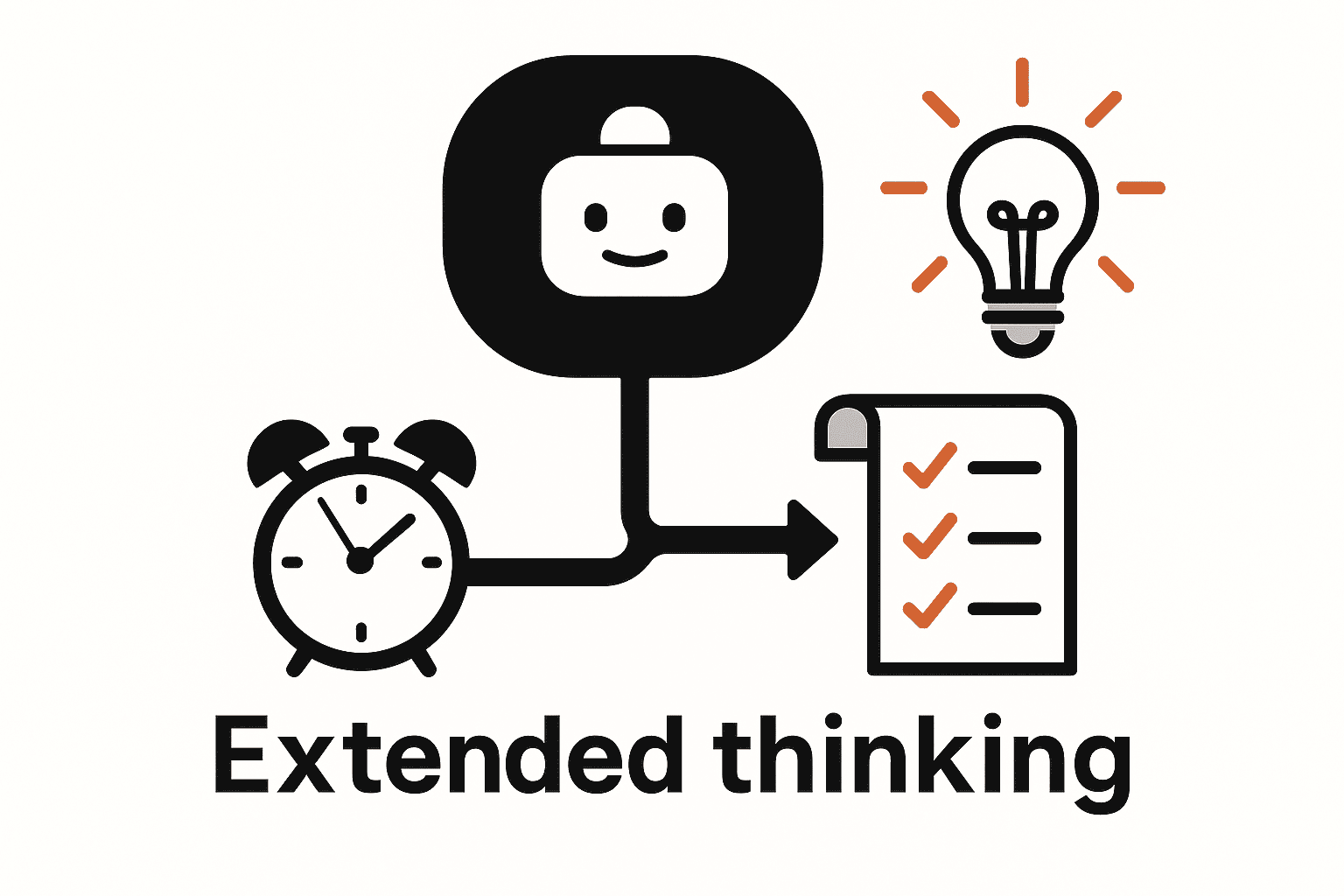

Introduction: Modern AI assistants can either give quick answers or dive deep into a problem – much like humans who answer simple questions instantly but need more time and effort for complex puzzles. Anthropic’s Claude now offers a feature called Extended Thinking, which lets you toggle how “deeply” the model reasons about a task.
With Extended Thinking mode turned on, Claude essentially gives itself more time and cognitive effort to solve tricky questions, controlled by a configurable “thinking budget” (how many steps or tokens it can spend reasoning). This capability provides an impressive boost in Claude’s problem-solving intelligence for hard tasks, enabling more thorough and accurate outputs when you need them.
This article is a comprehensive guide for developers, data scientists, and AI engineers on using Extended Thinking to boost productivity in daily workflows. We’ll explain how Extended Thinking works, how to tune its depth for different scenarios, and when to enable or dial it back.
Concrete examples in coding, debugging, system design, technical writing, research, and project planning will illustrate how to leverage this feature for maximum benefit. By the end, you’ll know how to configure Claude’s reasoning mode per scenario – balancing speed vs. depth – to get the best results in your engineering and research tasks.
What is Extended Thinking in Claude?
Extended Thinking is a mode in Claude that unlocks deeper step-by-step reasoning by making the model’s thought process explicit (internally) before giving a final answer. When enabled, Claude produces “thinking” content blocks – essentially its chain-of-thought – and uses those intermediate insights to craft a more informed final response. In other words, Claude will “think out loud” through the problem (you may even see a summarized version of this reasoning in certain interfaces), then provide the answer based on that detailed analysis.
Importantly, Extended Thinking doesn’t switch to a different model; it uses the same underlying Claude model, but allows it to spend more time and tokens on reasoning. You can toggle Extended Thinking on/off or adjust its intensity via an API parameter or UI setting, including specifying a thinking budget (e.g. “up to N tokens for thinking”) to control how long Claude can deliberate. For example, a small budget might let Claude do a brief reflection, whereas a large budget lets it deeply analyze a complex problem from many angles. This transparency and control improve trust and debuggability as well – developers can observe how Claude arrives at conclusions, which is useful for verifying complex outputs.
In summary, Extended Thinking mode empowers Claude to apply more “mental effort” on demand. It’s like asking the model to take a moment and show its work on hard tasks rather than jumping straight to an answer. This results in more thorough answers for challenging problems, and it makes Claude particularly adept at high-reasoning workloads such as coding, technical analysis, and multi-step planning.
How Extended Thinking Works
Under the hood, Extended Thinking mode inserts an internal chain-of-thought phase into Claude’s responses. When activated, Claude will first generate one or more thinking blocks containing its step-by-step reasoning (e.g. logical deductions, sub-calculations, or outline of a solution). It then uses those reasoning steps to formulate the final answer block for the user.
In API responses, you actually receive a structured payload with a "thinking" section followed by the final "text" answer. In Claude 4 models, this thought process is typically summarized for brevity and safety, meaning you get a condensed insight into Claude’s reasoning rather than every single step verbatim. (Claude 3.7, by contrast, could return the full raw thoughts in research settings.)
The “thinking budget” parameter controls how extensive this reasoning phase can be. It’s measured in tokens (pieces of text), and setting a larger budget allows Claude to consider more possibilities or longer chains of logic before answering. For instance, if you set a budget of 8,000 tokens, Claude might deeply analyze a problem (up to that many tokens of reasoning) before producing its conclusion.
Larger budgets generally improve response quality on complex problems by enabling more thorough analysis. However, Claude won’t always use the entire budget – often it stops reasoning once it’s confident in an answer, especially if the budget is very high (there are diminishing returns beyond a point).
It’s worth noting that Extended Thinking adds some overhead in processing. While thinking, Claude is effectively running an internal dialogue with itself. This means responses may stream in two phases – first the reasoning (if visible) and then the answer – or may arrive in a slightly slower, “chunkier” stream than normal. This is expected: the model is prioritizing thorough reasoning over speed. In practice, when Extended Thinking is on, you might experience a longer wait (sometimes a few seconds more) before the final answer, especially for very complex queries. But the payoff is that the answer will be more reliable and well-founded for those tough queries.
Tuning Depth: Shallow vs. Deep Reasoning (Speed vs. Depth Trade-off)
Using Extended Thinking effectively is about finding the right balance between speed and reasoning depth for your task. In standard (shallow) mode, Claude responds almost instantly with a straightforward answer – great for simple or routine questions where brevity and speed matter. In Extended (deep) mode, Claude takes a bit longer to deliver a much more analyzed answer, which is ideal for complex problems that benefit from step-by-step reasoning.
There is an inherent trade-off: more reasoning = slower responses. Anthropic explicitly designed Extended Thinking to let you trade off latency for better accuracy on hard tasks. With shallow reasoning (Extended Thinking off or minimal budget), Claude might give a quick answer drawing on general knowledge or heuristics. This is efficient, but for complex tasks it could miss details or make mistakes due to limited deliberation. With deep reasoning (Extended Thinking on with a generous budget), Claude engages in careful, multi-step reflection, likely yielding a more correct and nuanced solution – but you’ll wait a bit longer for it.
How do you tune this? A good practice is to start with a modest thinking budget and increase it incrementally for more challenging tasks. The minimum budget is 1,024 tokens for Extended Thinking, which you can think of as a baseline “deep thinking” allowance. From there, you can raise the budget (2048, 4096, 8192 tokens, etc.) to give Claude more room to analyze.
Anthropic suggests gradually increasing the budget until you see the answer quality reach a satisfactory level. Beyond a certain point, adding more tokens might not improve the answer much and only adds delay, so finding the optimal range for your use case is key. In practice, many users find that allocating around 40–60% of the max token limit to thinking is a sweet spot – it leaves enough room for deep reasoning while still reserving tokens for a complete final answer.
Keep in mind that very large thinking budgets (tens of thousands of tokens) can lead to diminishing returns and higher latency. Extended Thinking requests above 32k tokens of reasoning, for example, might even hit system timeouts or become impractical in interactive settings. So, use the depth that makes sense for the task’s complexity: no more, no less. The goal is to get improved accuracy and detail when you need it, without unnecessarily slowing down every response. In the next sections, we’ll discuss when to ramp up Claude’s reasoning and when to keep it shallow, with examples.
When to Enable Extended Thinking
Extended Thinking shines on complex, high-stakes, or ambiguous tasks where a quick surface answer might be incomplete or incorrect. Below are scenarios when you should consider activating Extended Thinking (with a healthy token budget):
- Difficult Coding or Math Problems: For intricate programming tasks, algorithm design, tricky debugging, or complex math questions, extended step-by-step reasoning helps Claude arrive at correct solutions methodically. Complex code generation, multi-module refactoring, and solving bugs are prime candidates for extended reasoning.
- System Design & Architecture Questions: When asking Claude to design a system or evaluate architecture trade-offs, enabling deep thinking lets it thoroughly consider requirements, constraints, and multiple design options before proposing a solution. Claude can weigh different approaches (e.g. microservices vs monolith, various tech stacks) in its thinking process, leading to a more robust architecture recommendation.
- In-Depth Technical Research: If you need Claude to synthesize information from documentation, compare frameworks, or draft a detailed technical report/RFC, extended mode ensures it doesn’t just give a high-level summary. The model will dig into the details, cross-reference facts, and produce a more comprehensive and accurate write-up – effectively doing a deeper analysis as an expert researcher might.
- Complex Planning and Problem-Solving: For large project planning, strategic decision making, or multi-step reasoning puzzles, Extended Thinking is invaluable. Claude can break down the problem into sub-tasks, explore various scenarios (“what if” analyses), and double-check its plan for consistency. This yields a well-thought-out plan or solution rather than a rushed guess. In high-stakes planning (say, outlining a product roadmap or troubleshooting a production incident), the extra reasoning can catch pitfalls early.
In short, enable Extended Thinking when the task complexity is high and quality matters more than speed. As one guide puts it, reserve it for “high‑stakes queries or debugging sessions,” and use standard mode for routine tasks. Whenever you find yourself tackling a question where you’d personally stop to think hard or gather more info, that’s a good signal to let Claude do the same.
When to Dial Back Extended Thinking
While the temptation might be to leave Extended Thinking on all the time for “better” answers, it’s not always necessary or beneficial. There are plenty of situations where you’ll want to keep Claude in standard (fast) mode or use a minimal thinking budget:
- Straightforward Queries: If your question is simple, factual, or requires no nuanced reasoning (e.g. “What’s the current timestamp?” or “Who won the 2019 World Cup?”), extended reasoning is overkill. Standard mode is optimized for brevity and speed – Claude can retrieve known information or perform a basic task almost instantly. Enabling deep thinking here would only slow things down without adding value.
- Routine Tasks & Drafting: For everyday tasks like drafting a quick email, generating a simple code snippet, or listing known items, you likely don’t need Claude to deeply deliberate. Extended mode might make it overthink a question you only needed a shallow answer for. It’s best to default to instant responses for such routine requests, and only switch modes if you realize the task was more complex than it seemed.
- Brainstorming and Ideation: When you’re in a creative brainstorming session (e.g. “give me ideas for X”), a rapid-flowing conversation can be more productive. In these cases, keeping Claude’s reasoning shallow for quick, diverse ideas can be preferable. Extended Thinking could cause long, overly detailed responses on each prompt, slowing the back-and-forth idea generation. You can always ask Claude to elaborate on a particularly promising idea afterward with extended mode, rather than having every single idea deeply analyzed.
- Time-Sensitive Interactions: If you’re using Claude in a live setting (pair programming, live chat support, etc.) where quick responses are critical, you may want to limit extended reasoning except when absolutely needed. The latency added can range from a few hundred milliseconds to several seconds per request, which adds up in a rapid dialogue. A good practice is to “limit thinking mode to critical segments” of an interaction to avoid excessive latency.
- Cost/Compute Considerations: Remember that extended reasoning consumes extra tokens (roughly 20–50% more tokens per response might go into the thinking steps). If you have usage quotas or are mindful of API costs, you’ll want to be judicious about using it for every query. Save the extended budget for when it truly makes a difference (complex analyses), and use cheaper standard responses for simple tasks. This selective use ensures you’re getting a good cost-benefit payoff.
In essence, dial back Extended Thinking for trivial or well-bounded tasks where a quick answer will do. Claude’s default mode is very capable for a wide range of queries without needing deep reasoning. By selectively turning Extended Thinking off for those cases, you keep your workflow snappy and efficient. Think of it as using the right tool for the job: not every screw requires a power drill.
Extended Thinking in Action: Use Cases and Examples
Let’s explore how Extended Thinking can be applied in various productivity workflows for technical users. In each scenario below, we’ll see how tuning Claude’s reasoning depth (shallow vs. deep) can impact the quality of the output and the speed of obtaining it.
1. Code Generation & Refactoring
Use Case: You’re using Claude as a coding assistant – perhaps to write a new module, refactor legacy code across multiple files, or even generate unit tests for existing code. These tasks require understanding context, planning changes, and ensuring consistency, which can be complex in a large codebase.
How Extended Thinking Helps: Enabling Extended Thinking for substantial coding tasks allows Claude to internally simulate a step-by-step approach to the code. For example, if asked to refactor a function, Claude (in extended mode) might first think through the function’s purpose, examine how it’s used in the code (if provided), outline a plan to modify it, consider edge cases, and then finally present the refactored code. This leads to more reliable and coherent code suggestions. In fact, Extended Thinking mode has been shown to improve accuracy on complex coding problems by engaging in this kind of thorough reasoning. The model can catch logical errors or dependencies in its “thought” phase that it might overlook in instant mode.
Practical Example: Imagine you prompt Claude with: “Refactor the following two Python functions into one optimized function, and ensure all unit tests still pass.” With Extended Thinking on, Claude might break down the task: it will analyze each original function’s behavior, identify redundancies or differences, think about how to merge them, and even reason about test cases (“What scenarios do the tests cover? Will the merged function handle them?”). You might see its reasoning outline these steps, and then it will output the merged function code. The result is a well-considered refactoring that’s more likely to be correct on the first try. Similarly, for generating code, Claude can plan the structure (e.g. class design, function stubs) in the thinking phase before writing actual code, resulting in cleaner, more logically structured output.
When to use vs. avoid: Use Extended Thinking for large or critical code changes – e.g. refactoring core modules, implementing complex algorithms, or reviewing someone else’s intricate code – where you want Claude to be extra careful and thoughtful. In these cases, the few extra seconds of reasoning can save you time debugging later. On the other hand, if you just need a snippet for a simple task (like a quick regex or a basic API call example), standard mode will suffice and be faster. Also, if you’re doing an interactive coding session with frequent small queries, you might only enable deep reasoning on the hardest query (like “why is this bug happening?”) and keep it off for simpler ones (like “show me how to parse JSON in Python”).
2. Debugging & Step-by-Step Reasoning
Use Case: You encounter a bug in your code or need to troubleshoot a failing test case. You ask Claude to help debug by finding the error or walking through the code’s logic. Alternatively, you might use Claude for a complex problem that requires multi-step logical reasoning (like a math word problem or algorithm design).
How Extended Thinking Helps: Debugging is often like solving a puzzle, and this is exactly where Extended Thinking excels. With it enabled, Claude will effectively perform a step-by-step trace of the code or problem in its thinking phase. It can simulate the code execution path, examine variable values at each step, and logically narrow down where things go wrong. Anthropic notes that tasks like debugging a complex piece of code require much more mental stamina – which Extended Thinking now allows Claude to apply. By methodically reasoning about each part of the code, Claude is far more likely to pinpoint the bug than if it were to give an immediate guess. The same goes for complex reasoning puzzles: Claude will break the problem into sub-problems and solve them one by one (essentially following the “let’s think step by step” approach that tends to produce more accurate answers on math/logic tasks).
Practical Example: Suppose you have a function that isn’t producing the expected output, and you provide Claude with the code and ask, “Why is this function returning null for input X?” In extended mode, Claude might go through the function line by line in the thinking output, tracking the state: “Step 1: The input X goes into this loop… Step 2: The condition Y is false, so it skips… Step 3: The variable Z is never updated… aha, this means by the end Z is still null.” After this internal analysis, the final answer might be: “It returns null because the variable Z is never assigned inside the loop due to the condition; to fix this, you need to update Z when condition Y is false.” This kind of deeply reasoned explanation is extremely valuable for debugging. In standard mode, Claude might have simply given a plausible but not fully verified answer, whereas extended mode increases confidence and correctness by simulating the actual logic path.
When to use vs. avoid: It’s wise to enable Extended Thinking for non-trivial debugging sessions, tricky algorithm challenges, or any “show your work” type of problem. The detailed chain-of-thought not only helps get the right answer but is also educational – you, as the developer, can follow Claude’s reasoning and learn from it or verify it. If the bug or question is straightforward (say a typo or a simple math calculation), you might not need deep reasoning – although even on medium difficulty math problems, extended mode often boosts accuracy significantly by preventing logical leaps. One thing to watch out for: sometimes Claude’s visible reasoning might include wrong turns or explorations (it can entertain a possibility and then discard it). This is normal, but it means you should still verify the final answer rather than blindly trust every thought. Overall, for complex debugging, the clarity and thoroughness you get with Extended Thinking is a game-changer for productivity – it’s like having the model pair-program and sanity-check each step of the solution with you.
3. System & Architecture Design
Use Case: You’re in the early stages of designing a software system or architecture – for example, planning a new microservices backend for an application, or creating a solution design for a technical problem. You want Claude’s help to brainstorm architecture ideas, evaluate different approaches, or produce a draft design document with rationale.
How Extended Thinking Helps: System design is inherently a complex, open-ended task with many considerations (requirements, scalability, trade-offs, constraints). In Extended Thinking mode, Claude can deliberate on these aspects in detail before finalizing a recommendation. Essentially, it gives you a virtual architect that thinks through the design. Claude might list out the requirements or goals internally, then consider multiple architecture patterns (pros/cons of each), maybe draw on relevant principles or analogous systems it knows, and finally converge on a solution. By having this extended internal dialogue, Claude’s final proposal is likely to be more comprehensive and well-justified than a quick answer would be. You as the user might even get to see parts of its thought process (or ask for the reasoning) to understand why it chose a certain design, which aids your decision-making.
Practical Example: Imagine you prompt Claude: “Design a high-level architecture for a web application that handles real-time streaming data and discuss its scalability and fault tolerance.” With Extended Thinking on, Claude might first internally outline key components needed (ingestion service, processing pipeline, database, etc.), then evaluate different tech stacks (maybe considering Kafka vs. RabbitMQ for streaming, SQL vs. NoSQL for storage, etc.), reason about the trade-offs (throughput, consistency, ease of maintenance), and perhaps recall known design patterns for real-time systems (like event sourcing, backpressure handling). After this reasoning, Claude would present you with a structured architecture proposal: e.g. a set of microservices or modules, each role explained, and a justification of why this design meets scalability and fault tolerance needs (with points that clearly reflect the deep considerations it undertook). The output might read almost like an architect’s mini design document. In standard mode, Claude might have given a decent answer with common ideas, but with extended mode, it will more likely cover edge cases and subtleties (like how to handle spikes in data or ensure no single point of failure) because it had the “brainstorming” time to think them through.
When to use vs. avoid: Activate Extended Thinking for any non-trivial design or planning query where the space of solutions is big. This includes architecture designs, complex configuration decisions, or technical strategy discussions. The depth ensures you’re not getting a one-dimensional answer; instead, Claude will consider different angles (sometimes even explicitly listing alternatives considered, if you ask for its reasoning). This can significantly improve the quality of design docs or proposals you get from Claude. If the design question is fairly straightforward or bounded (say, “Which database should we use for a simple blog site?”), you might not need the full extended treatment – though even then, if you want justification, a bit of reasoning is helpful. One approach is to start with a quick answer (standard mode) and, if the result seems too shallow, re-ask with extended mode on to get a more fleshed-out answer. In collaborative team settings, using Claude in extended mode to generate an initial design draft can save hours of brainstorming, as it will surface many points to consider (you can then review and tweak them as needed).
4. Technical Research & Document Writing
Use Case: You’re leveraging Claude to assist with research – for example, exploring a new framework or technology, comparing different solutions to a problem, or gathering information for a technical design document or an RFC. You might ask Claude to read and summarize documentation, produce a literature review on a topic, or draft a detailed tech spec.
How Extended Thinking Helps: Research and writing tasks benefit greatly from thoroughness and accurate synthesis of information. In Extended Thinking mode, Claude can analyze source materials in depth, cross-verify details, and organize information more coherently before writing out the result. It’s akin to having a researcher comb through multiple documents and jot down notes, then compile a summary. Claude’s large context window (especially in Claude 2/4 with up to 100K+ tokens) combined with extended reasoning means it can ingest a lot of content (like several pages of docs or data) and reason about it without losing track. The result is a more comprehensive and nuanced output. For instance, if comparing two libraries, Claude might internally create a feature list of each, weigh them point by point, and then present a comparison that doesn’t miss key differences. If writing a design doc, Claude can outline the document structure, ensure each section is well-developed, and even double-check consistency with requirements, all in its thinking phase.
Practical Example: Say you ask Claude, “Summarize the differences between TensorFlow and PyTorch for building neural networks, and suggest when to use each.” In extended mode, Claude will likely retrieve or recall a lot of details about both frameworks. It might reason about various aspects: ease of use, performance, community support, deployment, etc. It could internally create a comparison table or bullet list as it thinks. The final answer you get will read like a mini-report: covering multiple dimensions (speed, flexibility, debugging experience, etc.) with specifics for both TensorFlow and PyTorch, followed by a reasoned recommendation of use-cases for each. Because Claude had the license to “think longer,” it wouldn’t just give a generic answer like “They’re both good; use what you prefer.” Instead, it provides a well-researched analysis. This is hugely beneficial when you use Claude for writing technical content – the depth ensures the content is informative and not superficial.
When to use vs. avoid: Use Extended Thinking for research-heavy or documentation tasks where accuracy and completeness matter. If you are drafting an engineering design doc with Claude’s help, definitely consider extended mode so it can incorporate more considerations (security implications, edge cases, future work – things a quick answer might omit). Also, when asking Claude to summarize or synthesize information from long texts (like summarizing a long article or API docs), extended reasoning helps it maintain coherence over the whole input and produce a better structured summary. However, if you just need a brief summary of a short paragraph, standard mode is usually fine. One caution: watch for hallucinations – while extended mode reduces some forms of errors by thinking things through, if the source data is not in context, Claude might still speculate. Always give it the relevant documents if possible, and consider using the reasoning output (if available) to trace where each piece of info came from. Overall, in technical writing, Extended Thinking tends to produce more authoritative and well-rounded content, which is great for creating documents that could even be publishable or shareable with a team.
5. Complex Project Planning and Task Breakdown
Use Case: You have a large engineering project or a complex task that needs to be broken down into smaller tasks, milestones, or a timeline. This could be planning a software release, outlining an Agile sprint plan with backlog items, or even mapping out a research project with multiple stages. You want Claude to help organize the plan and identify what needs to be done.
How Extended Thinking Helps: Planning often requires anticipating various sub-tasks, dependencies, and potential challenges – essentially a form of strategic reasoning. Extended Thinking mode allows Claude to dive deep into the planning process, almost like a project manager laying out a project. With a sufficient thinking budget, Claude can enumerate all the major components of the project, then for each component think “what would it take to do this? Is it dependent on something else? Approximately how long? Any risks?”. It can then compile these thoughts into a structured plan or timeline. Because of the deeper analysis, the plan you get is more likely to catch important details. For example, Claude might realize that Task C can’t start until Task A and B are done, and explicitly note that, whereas in quick mode it might just list tasks without considering dependencies.
Practical Example: You ask Claude, “Create a project plan for developing a new e-commerce website from scratch, including front-end, back-end, and DevOps, with an estimated timeline.” In extended mode, Claude might methodically break this down: it will list phases (design, development, testing, deployment), then within each phase, list tasks (for front-end: choose framework, set up UI components, implement shopping cart, etc.; for back-end: set up database schema, implement API endpoints, integrate payment gateway, etc.; for DevOps: configure CI/CD, set up cloud infrastructure, monitoring, etc.). It could internally reason about how long each might take or what order makes sense (perhaps thinking “database design should come before API implementation” or “security review should happen before deployment”). The final output would be a detailed project roadmap, maybe even organized by weeks or sprints, complete with milestones and notes. This level of detail comes from the model having the “brainspace” to explore the project structure thoroughly. In standard mode, you might have just gotten a bullet list of a few high-level tasks, but with Extended Thinking, you get a far richer breakdown.
When to use vs. avoid: Use Extended Thinking for non-trivial planning, especially when the project has many interrelated parts or unknowns. The deeper reasoning will help surface things you might not have mentioned explicitly. (It’s not uncommon to see Claude in extended mode remind you of a consideration you forgot to mention, like “Don’t forget to set up a staging environment for testing,” because it had the latitude to think holistically.) This can be extremely helpful for engineering managers or tech leads using Claude as a sounding board. For smaller or very straightforward task lists (like “plan out the next 3 minor feature updates”), standard mode might be enough. If the plan needs to be highly detailed or you’re in the early brainstorming of a large initiative, that’s when extended mode truly pays off. One thing: ensure your prompt gives enough context about the project goals and constraints, so Claude’s deep thinking stays on track – otherwise it might spend tokens reasoning about assumptions that aren’t relevant. Providing a short brief and then enabling extended reasoning is a powerful combo for getting a solid first draft plan that you can then refine.
Best Practices for Using Extended Thinking in Daily Work
To wrap up, here are some best practices and tips for integrating Claude’s Extended Thinking into your everyday engineering and research workflows:
- 1. Enable it Intentionally: Treat Extended Thinking as a special mode you turn on when it’s needed, rather than the default for everything. Be selective – use it for the “hard stuff” (complex, high-impact questions) and stick to normal mode for trivial or time-sensitive interactions. This ensures you get the most bang for your buck in terms of both time and token costs.
- 2. Adjust the Budget Thoughtfully: Start with a lower thinking token budget (around 1k tokens) and increase if the task is still not resolved well. You might find, for example, that doubling the budget significantly improves an answer’s quality on a particularly tough question – but beyond that, improvements level off. Every problem has an optimal “depth” – finding it through a bit of experimentation will help you avoid unnecessary latency while still getting quality results. If you notice the model’s answers aren’t improving with more budget, it’s a sign to scale it back.
- 3. Combine with Clear Prompts: Even in Extended mode, good prompt engineering is important. Clearly describe the problem or ask the model to “think step by step.” You can even explicitly instruct Claude to use extended reasoning (“Please use extended thinking to analyze…”) as a cue. When you guide the model with a structure (e.g., “First list assumptions, then evaluate options, then conclude.”), Claude will follow that in its thinking, yielding more organized outcomes. Extended Thinking will amplify the effect of a well-structured prompt, because Claude will adhere to those instructions throughout a longer reasoning chain.
- 4. Monitor the Reasoning (when possible): If your interface or API usage allows you to see the summarized thinking output, take advantage of it. Skimming the chain-of-thought can tell you why Claude arrived at an answer, which is useful for validation. For instance, if Claude suggests a code change, its reasoning might reveal which part of the code it considered faulty. This transparency builds trust and helps you catch any logical missteps. If something looks off in the reasoning, you can correct the course in a follow-up prompt, saving time in the long run.
- 5. Mind the Time and Token Cost: In a collaborative or production setting, be mindful of Extended Thinking’s impact on response time. If you only have a short window (e.g., during a meeting) for an answer, you might opt for a shallower response and iterate, rather than waiting for a very deep one. Also remember the token usage – a long reasoning chain will count towards your token limits/costs. It’s often worth it for critical tasks, but you wouldn’t want to burn through your quota on every single query. Some users set up a system where Extended Thinking is enabled with a voice command or a special prompt prefix, so it’s only used when explicitly invoked.
- 6. Iterate and Refine: Using Extended Thinking doesn’t always guarantee a perfect answer in one shot – but it often gives a well-explained answer that’s easy to refine. You can have Claude elaborate on or adjust parts of its output by referring to its reasoning. For example, “I see in your thinking you considered X and Y – what about scenario Z?” or “Given your detailed plan, now optimize it for cost.” This kind of iterative dialogue, alternating between extended and normal mode as needed, can be a very powerful workflow for complex tasks. Essentially, you let Claude deeply analyze, then you, as the human, make a judgment or add insight, then possibly ask for another round of deep reasoning on the new angle.
Conclusion: Extended Thinking in Claude is a powerful feature that, when used judiciously, can significantly enhance the quality of outputs for complex engineering and research tasks. It allows the AI to operate more like a thoughtful collaborator – one that can zoom in on hard problems with rigorous analysis, or zoom out for quick answers when speed is paramount. By understanding when to activate this mode, how to tune it, and how it affects performance, you can integrate Claude more effectively into your daily workflow. The net result is better code, more solid designs, thorough research summaries, and well-laid plans – all achieved faster than ever (when considering the time it would take to do it alone). As Anthropic’s documentation suggests, start small and “increase the thinking budget incrementally to find the optimal range for your use case”. With practice, you’ll develop an intuition for the shallow-vs-deep toggle – making you and Claude a highly productive team, tackling everything from quick fixes to the toughest engineering challenges with ease.