
Understanding and resolving ambiguity is crucial for any advanced AI language model. Claude, Anthropic’s large language model, is designed to navigate unclear prompts and disambiguate meaning with a blend of human-like reasoning and robust AI techniques. This comprehensive guide examines how Claude handles ambiguous inputs, combining practical examples, the theory behind its reasoning, and real-world applications.
It is written for a hybrid technical-professional audience, including developers, NLP researchers, enterprise teams, advanced AI users, product managers, and AI engineers. By the end, you’ll understand Claude’s ambiguity resolution mechanisms, see how to design prompts that minimize confusion, and learn strategies to ensure precise answers even when questions are vague.
Introduction: Ambiguity in AI and Why It Matters
Ambiguity is pervasive in human language – words with multiple meanings, pronouns without clear referents, instructions missing details, or questions with more than one interpretation. Humans resolve ambiguity by using context, world knowledge, and asking clarifying questions. AI models must do the same to be reliable. When prompts are unclear, LLMs (Large Language Models) like Claude can misinterpret intent or produce incorrect answers.
In critical applications (customer support, medical or legal research, enterprise analytics), a misunderstanding can lead to wrong or even harmful outcomes. Therefore, Claude is built with ambiguity-aware reasoning to handle these situations.
Claude’s approach to ambiguity is influenced by Anthropic’s core design of helpfulness and honesty. In fact, research shows that Claude’s default behavior is to avoid unfounded speculation – it would rather decline to guess when uncertain. Instead, Claude leverages a combination of context analysis, internal reasoning, and clarifying dialogue to address unclear prompts.
Anthropic has even baked this into Claude’s alignment: when a user’s intent is unclear or could be interpreted in multiple ways (especially if one interpretation is sensitive), Claude often responds with healthy skepticism and a clarifying question. This ensures that the assistant’s actions truly match the user’s needs and values, rather than making risky assumptions.
Target Audience – Why Should You Care? Developers building on Claude need to know how it interprets prompts to avoid surprises. NLP researchers can glean insight into Claude’s disambiguation mechanisms as a case study in pragmatic language understanding. Enterprise teams relying on Claude in mission-critical environments will appreciate its caution in ambiguous scenarios (no one wants an AI that confidently gives the wrong drug dosage due to a vague query!).
Advanced AI users and product managers designing complex language workflows will learn how to steer Claude through ambiguity for more reliable outputs. In short, whether you’re prompting Claude directly or integrating it into an application, understanding its ambiguity-handling will help you get the most out of the model.
Before diving into the inner workings, let’s see some real examples of ambiguous prompts and how Claude responds.
Practical Examples of Ambiguous Prompts (and Claude’s Responses)
Claude is engineered to recognize many forms of ambiguity and either interpret them intelligently or ask for clarification. Here we explore common types of ambiguous prompts with examples, demonstrating Claude’s behavior in each case:
Lexical Ambiguity (Multiple Word Meanings):
Example: User asks: “I saw her duck.” Without context, “duck” could be a noun (the bird) or a verb (the action of stooping). Claude will use any context available to infer the meaning. If earlier conversation mentions animals, Claude infers “duck” as the bird; if discussing actions, it interprets it as the verb. If no context exists, Claude might respond with a clarifying question: “Do you mean that you saw the person’s pet duck, or that you saw her duck down to avoid something?” – rather than guessing outright. This aligns with the principle that Claude prefers the interpretation with the highest contextual salience, and asks for clarification if uncertainty remains.
Referential Ambiguity (Pronouns & References):
Example: In a conversation: “Alice met with Jenny after her presentation. She said it went well.” Who does “she” refer to? Alice or Jenny? Claude will look at context cues – perhaps who had a presentation – to decide the referent. If the context isn’t sufficient, Claude’s response might include the ambiguity: “Alice met with Jenny after Jenny’s presentation, and Jenny said it went well.” By rephrasing, Claude avoids misattribution. In cases where misunderstanding could be critical, Claude may ask, “Just to clarify, who said it went well – Alice or Jenny?” This behavior stems from Claude’s training to maintain consistency and avoid conflating entities without clear evidence.
Incomplete Instructions:
Example: User: “Improve the code.” – Without additional detail, this prompt is underspecified. Improve the code in what way? Speed, readability, or adding features? Instead of making a random choice, Claude will likely ask a clarifying question: “Sure. When you say ‘improve,’ what aspect are you looking to enhance – performance, security, readability, or something else?”. This proactive clarification is built-in: Claude Code (the coding-optimized version of Claude) is explicitly designed to ask for specifics rather than arbitrarily assume your intent. For instance, if you ask Claude Code to “optimize the database queries,” it won’t blindly guess whether you mean speed or memory usage – it will prompt you to specify the optimization goal. This ensures the changes align with your actual needs and prevents wasted effort on the wrong approach.
Contextual Ambiguity (Vague References):
Example: User says: “Tell me about that company.” If prior text or conversation hasn’t clearly identified which company “that” refers to, Claude faces ambiguity. It will search the conversation history for the most recently mentioned company or any implied subject. If one stands out (e.g. if the last discussion was about Google, “that company” likely means Google), Claude will assume that and proceed to answer about Google. However, if multiple companies were mentioned or none at all, Claude will respond with a question: “Could you clarify which company you’re referring to?” This shows Claude using conversation context to disambiguate, and if the context is insufficient, engaging the user to pinpoint the reference.
Temporal Ambiguity:
Example: “Schedule the meeting for next Monday.” Phrases like “next Monday” can be surprisingly ambiguous – if today is Monday, does “next” mean a week from today or the coming Monday? Humans often clarify by giving a date; Claude similarly might convert such references into explicit dates using its knowledge of today’s date and common usage. For example, if today is Tuesday and the user says “next Monday,” Claude will likely interpret it as the Monday of the upcoming week (six days ahead). But if there’s any doubt (perhaps the context is scheduling and the exact date is critical), Claude might ask: “By ‘next Monday’, do you mean the coming Monday [date], or the Monday after that?” It’s cautious about time expressions to avoid mis-scheduling. The same goes for phrases like “in two days” (relative to what context?) – Claude uses the current date (it knows it’s December 06, 2025 for example) and clarifies if needed.
Entity Ambiguity (Multiple Entities with Same Name):
Example: “Tell me about Jordan’s performance in the game.” – The name “Jordan” could refer to multiple people. If the conversation is about basketball and mentions “Michael,” Claude infers Michael Jordan. If the context is a local college team with a player named Jordan, it will aim to use that context. In absence of clues, Claude might answer in a generic way about “Jordan” (potentially blending interpretations, which is not ideal), or better, ask: “I want to make sure I talk about the right person – which Jordan are you referring to?” Again, the model’s training favors clarifying who an entity is if it’s not certain, rather than risking a wrong explanation. This reduces the chance of a wrong Jordan (e.g. confusing Michael Jordan with Jordan the country or another person).
Ambiguous Questions with Multiple Possible Answers:
Sometimes a user’s question itself has multiple interpretations. Real-world example: Context: “Sound of Silence” is both a song performed by Dami Im in 2016 (Eurovision) and an album by Simon & Garfunkel in 1966. User asks: “Who is the original artist of Sound of Silence?” This question is ambiguous: do they mean the original artist of the song (Simon & Garfunkel) or are they thinking of the 2016 performance? An AI might produce two different answers here. Claude’s approach is to recognize this uncertainty. In fact, research shows that if an LLM can imagine multiple plausible answers, that’s a sign the question is ambiguous. Claude might respond with something like: “‘The Sound of Silence’ was originally recorded by the duo Simon & Garfunkel. (If you’re referring to the song performed by Dami Im in 2016, that was a cover of the Simon & Garfunkel song.)” This way, Claude covers both interpretations, or it might directly ask: “Do you mean the original artist who first recorded ‘The Sound of Silence’ (Simon & Garfunkel), or the performer of a specific version?” The key is that Claude does not pick an answer blindly when a question clearly has more than one meaning.
These examples highlight a pattern: Claude leverages context whenever possible to choose the most likely interpretation (the “highest-salience interpretation”) and remains aware of alternative meanings. If one interpretation is strongly implied, Claude will proceed with that. If ambiguity persists, Claude either gives a carefully qualified answer or asks a clarifying question. This mirrors how a conscientious human expert would behave when asked an unclear question: use clues to make an educated guess, but double-check if there’s any doubt.
Now that we’ve seen Claude in action on ambiguous prompts, let’s delve into the science and mechanisms behind how it does this.
Theoretical Underpinnings: How Claude Disambiguates Unclear Prompts
Disambiguation in Claude is both a byproduct of its large language model training and explicit design choices by Anthropic. This section explores Claude’s internal processes for handling ambiguity, including how it represents uncertainty, the so-called “disambiguation loop” of reasoning, the role of context and salience, and internal consistency checks.
Representing Uncertainty and Multiple Meanings
Under the hood, Claude (like other advanced LLMs) doesn’t see a single rigid meaning for each prompt – it sees a spectrum of possibilities. The model’s neural network assigns probabilities to various interpretations and next-word predictions. Ambiguity naturally leads to a more spread-out probability distribution over possible continuations. For example, given the prompt “I saw her duck,” Claude’s language model head might assign significant probability to continuations related to a bird and also to continuations related to the action, reflecting uncertainty about the sense of “duck.”
Researchers have characterized this as denotational uncertainty vs. epistemic uncertainty. Denotational ambiguity comes from the input itself being unclear, while epistemic uncertainty is the model’s own indecision given its knowledge. Claude’s training data includes many instances of ambiguous language, so it has learned, in effect, to hedge its bets. If prompted to generate an answer freely (without special instructions), an LLM might even produce different answers across multiple attempts, reflecting that ambiguity. In fact, one way to detect ambiguity is to prompt the model multiple times or ask it to list all answers, and see if it gives contradictory or varied answers – high variance indicates ambiguity. Claude’s architecture can exploit this: internally it can consider multiple answer paths and gauge if more than one seems plausible.
The Disambiguation Loop: Internal Reasoning and Clarification
When Claude encounters ambiguity, it engages in an internal reasoning process that we can liken to a “disambiguation loop.” While not a formal loop in code, it’s a conceptual cycle of steps Claude takes to resolve uncertainty:
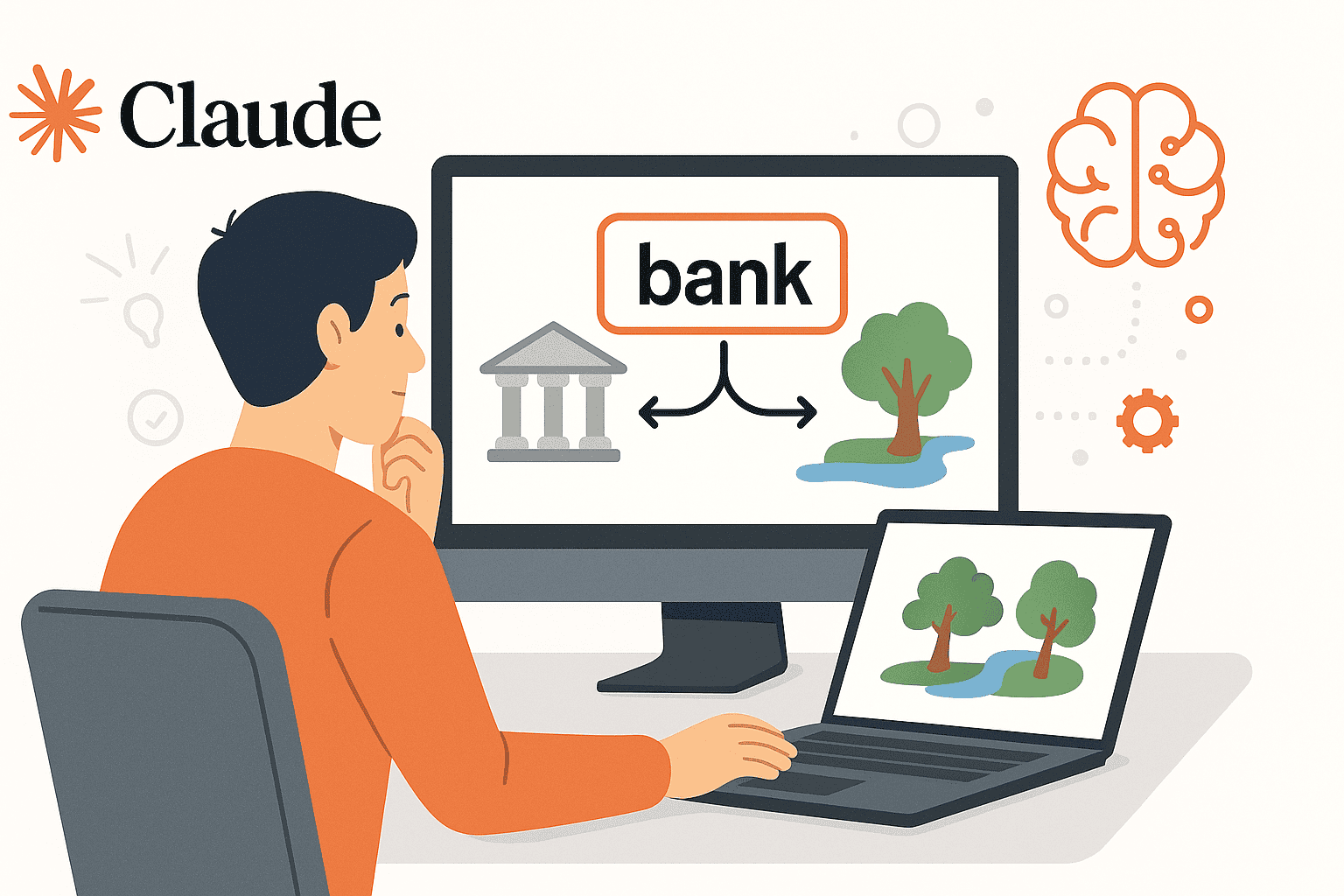
Identify Ambiguous Elements: Claude’s first step is to pinpoint what part of the input is ambiguous. It could be a word (like “bank” – river bank vs. financial bank), a reference (like an undefined “it”), or an underspecified instruction (“improve” what exactly?). Claude’s language understanding layers and attention mechanisms flag these uncertainties. Often, Claude’s system prompt or internal governance encourages it to be mindful of ambiguity – it has been instructed not to jump to conclusions when things are unclear.
Analyze Context for Clues: Next, Claude scours all available context to disambiguate. This includes the conversation history, provided background information, code context (for Claude Code), user profile or location (if provided), etc. Claude’s large context window (up to 100K tokens in newer versions) allows it to retain a ton of prior text, which means it can look far back in the conversation or document for any mention that resolves the ambiguity. For instance, if earlier you mentioned “Next Monday (Dec 15th) we have a meeting,” and later you say “reschedule next Monday meeting,” Claude will connect that and understand the date. Extended context and reasoning help Claude use the surrounding information to eliminate unlikely interpretations. Essentially, Claude asks: “Given everything I know from context, which meaning makes the most sense here?” Often, this narrows down the options significantly.
Salience Weighting: If multiple interpretations remain, Claude evaluates which interpretation is most salient or relevant. Salience here means the prominence or likelihood of a meaning given the context and general knowledge. Claude tends to prefer the meaning that a typical human would most likely intend. For example, if a user says “I need to go to the bank,” and there’s no other context, the financial institution is more salient/common than a river bank, so Claude will assume the financial bank. This “highest-salience interpretation first” rule is a heuristic that keeps answers natural and contextually appropriate. It’s not hard-coded, but emerges from training on how language is usually used, possibly augmented by any system instructions Anthropic provided. (In one cognitive test analysis, reviewers noted that Claude prefers the highest-salience interpretation and uses context to disambiguate before resorting to questions.)
Internal Simulation of Each Interpretation: Here’s where Claude’s “imagination” comes into play. Claude can effectively run a mental simulation for each plausible interpretation to see what answer it would yield. Thanks to features like Chain-of-Thought (CoT) reasoning (especially accessible in Claude’s Extended Thinking mode), the model can explicitly reason: “If the user meant X, the answer/solution would look like this… If they meant Y, it would look like that…” During this internal process (which might produce hidden thinking steps not shown to the user), Claude checks which interpretation leads to a coherent and contextually consistent answer. If one interpretation produces nonsense or conflicts with known facts, that interpretation loses weight. For example, if interpretation A of a question leads Claude to an answer that contradicts earlier parts of the conversation, but interpretation B yields a consistent answer, Claude will favor B. This is effectively an internal consistency check – Claude “looks” at the hypothetical answers and asks, “Does this make sense given everything?” If not, it reevaluates.
Decision Point – Answer or Ask? After weighing interpretations, Claude must decide whether to provide an answer (and which one) or to ask the user for clarification. Several factors influence this decision:
Clarity Confidence: If one interpretation now stands out as highly likely (or harmless even if slightly off), Claude will go ahead and answer based on that interpretation. It will do so confidently but usually also frame the answer in a way that would make sense even if the user meant otherwise, to cover its bases. (For instance, answering about a financial bank in a way that if the user meant river bank, it would be obviously a different topic, prompting them to correct.)
Risk and Criticality: If the question is in a domain where a wrong interpretation is high stakes (e.g. a medical instruction, a legal question, or a scenario with potentially harmful outcomes), Claude is more likely to err on the side of caution and ask for clarification. Anthropic has tuned Claude to be skeptical when user intent is unclear in sensitive contexts. For example, if a request might be either benign or a prompt for disallowed content, Claude will ask the user to clarify their intent or provide more detail before proceeding, rather than guessing the benign intent and possibly giving something unsafe.
User Instructions or Meta-Prompts: If the user (or developer) has given instructions like “If the request is ambiguous, ask a clarifying question before answering,” Claude will follow that strictly. (We’ll discuss how to use such meta-prompts in a later section.) By default, Claude’s system policy is somewhat balanced: try to be helpful by answering if possible even if the query is a bit ambiguous, but do not fabricate details if the answer can’t be determined confidently. That means in many general cases, Claude will attempt an answer (perhaps noting assumptions), but if truly stuck between two meanings or noticing a potential misunderstanding, it will politely ask for clarification.
Interactive Clarification (if needed): In cases where Claude decides it cannot safely assume, it will produce a clarifying question back to the user. This is a key part of the disambiguation loop – turning the ambiguity resolution into a dialogue. For example, the user asks: “Draft the contract for our client.” Claude might respond: “Certainly. To ensure I get this right, could you tell me which client and what kind of contract you have in mind?” This loop can continue: the user provides details, and Claude now with clearer context completes the task. The back-and-forth Q&A is essentially the model’s way of completing the disambiguation process with human help. Importantly, Claude is trained to only ask useful clarifying questions – it won’t pester the user about every little uncertainty, only the ones that materially affect the answer. This keeps the interaction efficient and professional.
Delivering the Answer (with Disambiguation): Once ambiguity is resolved (either internally or via user input), Claude crafts its answer. If any ambiguity remains or if Claude made an assumption, it often makes the answer transparent about that assumption. For instance, “I’ll proceed assuming you meant X. Here is the information on X…”. This transparency lets the user correct the course if Claude assumed wrong, and it aligns with Claude’s principle of being honest and not misleading the user. Notably, Claude has an internal “chain-of-thought” for complex tasks that the user doesn’t see (unless using extended thinking mode), which may contain its deliberations about the ambiguity. By the time the final answer is given, Claude has (ideally) settled on one interpretation and provides a coherent, unambiguous response.
This disambiguation reasoning loop is analogous to how a human might internally reason through a confusing question. Think of a consultant hearing a client’s vague request – they’ll think “Do they mean X or Y? If X, what would I do? If Y, what would I do? Which fits the context of our discussion? Let me ask them to clarify this part.” Claude essentially does the same, at high speed and scale.
Why Claude Avoids Guessing Without Clarity
It’s worth highlighting why Claude leans toward clarification and cautious reasoning. This comes from both its training data (which includes many examples of Q&A, where the best responses clarify unclear questions) and Anthropic’s alignment tuning. According to Anthropic’s research, earlier versions of Claude and other models sometimes “jumped” to answers, which could misfire if the prompt was misinterpreted. Anthropic adjusted Claude’s system instructions to promote a “question-first approach” in uncertain situations.
The result: Claude is now much less likely to bulldoze ahead on a faulty assumption. For example, one user observed that after updates, when they say “Fix the button”, Claude no longer just guesses which button and what the issue is – instead it asks which button and what the problem is. This reduces those “that’s not what I meant” moments and improves trust in the AI’s output.
In Anthropic’s own words, clarity and detail reduce ambiguity and lead to better outcomes. Claude is implicitly biased towards seeking clarity. It “does not know the user’s mind,” so it needs to either find clues or ask. By avoiding unwarranted assumptions, Claude also avoids a lot of errors that plague less cautious AI systems. It’s better to have a moment of clarification than to confidently present an incorrect solution. This principle is especially enforced when safety is at stake.
For ambiguous requests that might hide a disallowed intention, Claude applies a “principle of charitable interpretation” – initially assume the user means the harmless interpretation – but simultaneously may ask a verifying question to be sure. If there’s any hint of a risky interpretation (e.g. user asks “How do I make a device?” which could be benign or could mean a weapon), Claude will tread carefully, possibly refusing until intent is clarified. The system prompt explicitly guides Claude on these nuances, telling it when to be extra cautious and when to safely assume a benign intent.
Extended Reasoning and Internal “Chain-of-Thought”
Claude has an Extended Thinking mode (available via API in Claude 2 and beyond) that allows it to explicitly output its reasoning steps in a special format (these steps can be hidden from the end-user in a chat, but visible to developers). This is useful for developers who want to see how Claude is reasoning through ambiguity. For example, if extended thinking is on and you ask an ambiguous question, you might see Claude’s thought process like:
{
  "type": "thinking",
  "thinking": "The user’s request is unclear on point X. Possible interpretations: A or B. Context suggests A is more likely because... I'll proceed with A but maybe I should confirm..."
},
{
  "type": "text",
  "text": "... (Claude’s answer to the user) ..."
}
During this internal chain-of-thought, Claude might list out possible meanings and literally “decide” one. This not only helps ensure consistency but also provides transparency. In complex scenarios, Claude can perform multi-step reasoning, break a problem into parts, and resolve each piece – during which it often checks that it understood the question correctly. If something doesn’t add up, it will adjust course or ask the user.
This kind of self-reflection is a cutting-edge aspect of modern LLMs. It’s like having an inner voice that says “Wait, did they mean this or that? Let’s double-check.” By the time the answer is presented, Claude has, ideally, resolved those doubts.
Summary of Claude’s Disambiguation Science
To sum up the theory: Claude uses a combination of probabilistic reasoning, context retrieval, salience ranking, chain-of-thought analysis, and alignment-driven caution to handle ambiguity. It strives to mimic human pragmatic skills – focusing on what’s likely intended, yet being aware of alternative meanings. When in doubt, it seeks more information rather than risking a wrong answer. This makes Claude’s responses more reliable and aligns with user expectations in professional settings (where an AI that says “I need more details” is far preferable to an AI that confidently delivers a wrong solution).
Next, we’ll see how these capabilities play out in real-world use cases, and then move on to strategies for users and developers to craft prompts that minimize ambiguity (and even leverage Claude’s disambiguation strengths).
Real-World Applications: Claude’s Ambiguity Handling in Action
Disambiguation isn’t just a theoretical nicety – it has very concrete implications in various domains. Let’s explore how Claude’s approach to ambiguity benefits several real-world applications:
1. Customer Support and Chatbots
In customer service, users often ask vague questions or provide incomplete information. For example: “My account isn’t working, what should I do?” – This is ambiguous because which aspect of the account isn’t working? Login? Payment? A specific feature? A good human agent would ask a follow-up: “I’m sorry to hear that. Could you clarify what you mean by ‘isn’t working’? Are you unable to log in, or is something else going wrong?” Claude, when powering a customer support chatbot, follows this pattern.
It recognizes that the user’s question is under-specified and asks for the key details, rather than giving a generic or potentially incorrect answer. This leads to more precise assistance and less frustration. In contrast, an AI that assumed the issue could send the customer down the wrong troubleshooting path. By building clarifying questions into the flow, Claude helps ensure the user eventually gets a relevant answer.
Companies deploying Claude in support bots appreciate this behavior, as it improves resolution rates and user satisfaction (users feel heard and correctly understood). It’s far better to ask “Which product are you referring to?” than to give information about the wrong product. Claude’s ability to maintain context across a conversation is also crucial – it can handle the multi-turn clarification dialogue seamlessly, remembering what the user said and not asking the same thing twice, thus delivering a smooth support experience.
2. Document Analysis and Summarization
Enterprise users often employ Claude to summarize or analyze large documents. Ambiguity can arise if the instructions for summarization are unclear, or if the document itself has ambiguous references. For instance, an analyst might prompt: “Summarize that report and highlight any issues.” Here, if multiple reports were mentioned or if “issues” could mean technical issues, financial issues, etc., Claude needs to clarify.
In practice, Claude will look at the context (perhaps the conversation or file name of the document provided) to determine which report and what kind of issues are likely meant. If the user just uploaded one PDF, “that report” is clear – it’s the uploaded PDF. If multiple files, Claude might ask which one. For “issues,” Claude might infer from the content (if the report is a project status report, “issues” likely means project issues or risks).
However, if unsure, Claude will include a clarifying statement in the summary request. For example: “I will summarize the Q4 Financial Report and focus on any financial issues or risks mentioned. (If you meant a different report or different kind of issues, let me know!).” This way, even in one-shot tasks like summarization, Claude hedges against ambiguity. In legal document review, this is critical – terms might be ambiguous, or a request like “Find any liabilities in this contract” needs context (liabilities could be legal liabilities or financial liabilities).
Claude’s careful parsing ensures it searches for the right concept. By handling ambiguity, Claude saves human analysts time – they get what they actually need, rather than a useless or misleading summary that has to be redone. In environments like law or medicine where a single misinterpreted phrase can change an outcome, such disambiguation is not just helpful, it’s essential for safety and accuracy.
3. Medical and Legal Research Queries
Consider a doctor asking an AI assistant (powered by Claude) a question: “What’s the safe dosage for patients with renal issues?” If the context doesn’t specify the drug, this question is dangerously ambiguous. A less careful system might assume a common drug and spout an answer, potentially with fatal consequences if it’s the wrong drug. Claude, on the other hand, would recognize that the drug name is missing.
It would likely respond: “Which medication’s dosage would you like to know about for patients with renal issues?” This prompt for clarification could be life-saving. Only once the drug is specified (e.g. “ibuprofen” vs “metformin”) does Claude provide dosage information, and even then, it will often include caveats if needed (such as ranges or advising to consult guidelines). In legal research, a lawyer might ask: “Is it legal to terminate the contract under the current clause?” If the contract or clause isn’t provided to Claude, it can’t definitively answer.
Claude will usually reply with something like: “I’d need to see the specific clause or know its wording to answer accurately. Could you provide more details on the clause in question?” By doing so, Claude avoids giving generic or wrong legal advice. Only once the ambiguity is resolved (the clause is given or clarified) will it analyze and answer, citing relevant laws or contract terms. This careful approach builds trust: professionals know the AI won’t “bluff” an answer when it doesn’t have clarity. In both medicine and law, ambiguity handling by Claude acts as a safeguard against misinformation. It prompts the human user to provide the necessary specifics, ensuring the answer is tailored to the actual situation.
4. Enterprise Knowledge Bases and Internal Tools
Many companies integrate Claude to answer questions based on internal knowledge bases or to generate reports from internal data. Here, the context might be very company-specific, and ambiguous references are common. For example, an employee asks the internal AI assistant: “Show me the Q3 report for ACME project.” If the company has multiple projects involving Acme (Acme-Marketing, Acme-Sales, etc.), the query is ambiguous.
Claude will use whatever internal data it has – maybe there’s only one “ACME” project, then fine. But if multiple, Claude will ask which one, or list both: “I found ACME Marketing and ACME Sales projects with Q3 reports. Which one are you interested in?” This interactive disambiguation is extremely useful in enterprise settings where shorthand and acronyms abound. Similarly, for data analysis: “Give me the sales figures for last period” – Claude needs to figure out what “last period” means (last quarter? last year? last month?).
Often, internal policy might define it, or the user’s role might imply something. Claude tries to infer (sales team might mean last fiscal quarter), but if not sure, it asks: “By last period, do you mean last quarter or last month?” These clarifications prevent costly mistakes in business intelligence. Imagine a scenario where a misinterpreted time period leads to a wrong business decision – Claude’s habit of clarifying can avert that. Enterprise teams thus find Claude’s disambiguation abilities critical for accuracy and confidence in AI-generated insights. It also reduces the back-and-forth where the user would otherwise have to ask again if the answer came out wrong – instead, the AI itself initiates the clarification, making the user experience smoother.
5. Advanced AI Workflows (RAG, Agents, Complex Pipelines)
Claude is often used in Retrieval-Augmented Generation (RAG) systems, where it first retrieves documents based on the query, then answers using those documents. If the user query is ambiguous, the retrieval step might pull in too many irrelevant documents or miss the relevant ones. To mitigate this, Claude can reformulate or split ambiguous queries. For example, if asked, “What’s the status of Mercury?” – Mercury could mean the planet or the element (or even the Roman god!).
A RAG system might retrieve pages about both. An ambiguity-aware approach would have Claude internally consider both meanings and perhaps run two searches (one for Mercury the planet status – maybe meaning “Mercury’s orbit or exploration status?”; another for mercury the element status – not sure what that means). Claude could then determine which results look more relevant to the user’s likely intent. If the conversation context was astronomy, obviously the planet.
If it was chemistry, the element. In more open-ended cases, Claude might actually respond asking which Mercury they mean, before doing heavy retrieval. This saves time and compute by focusing on the right information. Similarly, in agentic setups where Claude can execute tools (code, web search, etc.), ambiguity can cause the wrong tool use. Developers often program guardrails: for instance, “If user’s request is ambiguous, ask clarifying question instead of executing”.
Claude follows such instructions, ensuring the agent doesn’t, say, delete the wrong database table because the command was ambiguous – it will confirm the identifier first. In summary, advanced AI projects benefit from Claude’s disambiguation because it leads to more precise actions and answers, with less randomness. Research confirms that addressing ambiguity leads to better performance in QA and tasks – it’s basically about reducing the “noise” in what the model has to do. Claude’s behavior of interactive disambiguation can be seen as a form of dynamic query refinement – making sure it truly understands the task before solving it. This results in higher accuracy rates and more trustworthy outcomes in complex pipelines.
6. Case Study: Claude in a Legal Chatbot (Illustrative)
To make it concrete, consider an enterprise that built a legal Q&A chatbot with Claude. A user asks: “Can my employer enforce a non-compete if I’m in California?” That question is ambiguous in a subtle way: it’s likely about California’s laws which often void non-competes, but to answer correctly, one might need to clarify what the user’s role is or if there are any specific circumstances. Claude’s response could be: “Non-compete agreements are generally not enforceable in California in most circumstances.
(California law heavily restricts them.) However, specific details can matter. Are you referring to a standard employment contract non-compete clause, and is your job definitely based in California?” Here Claude did two things: it answered based on the most salient interpretation (California law general rule) and it hinted at clarification for specifics. This gives the user useful info immediately, while inviting them to clarify if needed. The result is a helpful answer that is unlikely to mislead – it doesn’t ignore the ambiguity of “can they enforce” (which might depend on details). This kind of balanced approach makes Claude-powered assistants feel both intelligent and careful.
These examples underscore that Claude’s disambiguation skills are not just academic – they directly enhance the reliability and effectiveness of AI applications. By handling ambiguity through smart reasoning and clarifying dialogue, Claude ensures that the solutions it provides are anchored to the user’s real intent.
Now that we’ve seen why ambiguity handling matters and how Claude does it, let’s shift to a practical angle for users and developers: how can you craft prompts to reduce ambiguity, and even instruct Claude explicitly on how to deal with unclear instructions? The next section will equip you with prompt design strategies to get the best results out of Claude.
Prompt Engineering Strategies to Reduce Ambiguity
No matter how good Claude is at handling ambiguity, the best results come from clear communication. As a user or developer, you have substantial control over how well Claude understands your requests. This section provides actionable strategies for prompt engineering to minimize ambiguity and guidance on how to explicitly tell Claude what to do when faced with unclear instructions. We’ll include examples of good vs. bad prompts, meta-prompt techniques, and ready-to-use templates that you can apply in your Claude interactions or integrations.
Why Reducing Ambiguity in Prompts Matters
First, a quick motivation: Ambiguous prompts put the burden on the AI to guess your intent. As we saw, Claude will try its best, but an unclear question often leads to misinterpretation or at least a back-and-forth to clarify. It’s more efficient to craft your prompt clearly from the start. Anthropic’s own best practices advise: “Don’t assume the model will infer what you want—state it directly. Use simple language that states exactly what you want without ambiguity.”. Leaving instructions vague gives the AI “room to misinterpret”, which can waste time or produce incorrect outputs. So, clear prompts = better, faster answers. With that said, let’s delve into how to achieve clarity.
Strategies to Reduce Ambiguity from the Start
Here are core strategies to make your prompts unambiguous:
Be Explicit and Specific: Spell out exactly what you want. Name the entities, define the timeframe, specify the format. For example, instead of asking Claude “Summarize the report”, specify “Summarize the Q3 2025 Sales Report, focusing on revenue figures and any noted risks. Provide the summary in 3 bullet points.” Every detail you add (report name, scope, format) removes a potential ambiguity. According to Anthropic, using explicit instructions and even stating the why or context of the request helps the model target the answer. So you might add: “This summary is for a quick executive briefing, so keep it concise and high-level.” Now Claude knows exactly what to do.
Provide Context and Background: If your question or task involves something that might not be universally known, give Claude the background. For instance, “Using the attached product database, list the top 5 products by revenue.” Without specifying the data source or metric, that request is ambiguous. By mentioning the database and metric (revenue), it’s clear. If you’re asking about a specific domain or acronym, explain it unless you’re sure Claude knows it in context. For example, “Analyze the SEO performance (Search Engine Optimization metrics like keywords, backlinks, etc.) of our website.” Here, expanding “SEO” and listing metrics removes doubt about what analysis means.
Define Terms and Preferences: If your prompt contains any term that could be interpreted in different ways, define it. Suppose you instruct Claude, “Critique this draft.” What kind of critique? Tone, structure, accuracy? You could rewrite: “Critique the attached draft for clarity, tone, and grammar. For each, provide specific suggestions for improvement.” Now there’s no ambiguity about what “critique” entails. Similarly, if you say, “Find articles about Apple”, clarify if you mean Apple the company or apple the fruit (if context doesn’t make it obvious). You might say “Apple Inc. (the technology company)” to be sure. It might feel pedantic, but the model will appreciate the clarity – and so will you when you get the right answer on the first try.
Avoid Vague Verbs and Requests: Words like “deal with,” “handle,” “update,” or “address” can be too unspecific. Instead of “Handle the user login issue”, specify: “Investigate and fix the error that occurs when a user tries to login (they get a 500 server error). Ensure the fix covers both front-end and back-end, and describe what you changed.” This leaves little room for misunderstanding. Essentially, paint a clear picture of the task and expected outcome.
Use Structured Formats for Complex Prompts: If your request has multiple parts or choices, consider structuring it as a mini checklist or bullet points in the prompt. For example: “The user’s request is ambiguous. As Claude: (1) List all possible interpretations of the request. (2) State which interpretation you think is most likely and why. (3) Provide the answer for that interpretation. (4) Mention if any other interpretation could be answered differently.” This not only removes ambiguity in what you want Claude to do, but it literally guides Claude through a disambiguation process. We call this meta-structuring, and it can be very powerful.
Give Examples (Positive and Negative): Demonstrating what you expect can clear up ambiguity that’s hard to describe. For instance, “Translate this text, keeping any double meanings. E.g., if the original says ‘time flies like an arrow; fruit flies like a banana’ – maintain the play on words in translation.” By giving that example, Claude knows you are aware of an ambiguity and want it preserved, not flattened. Conversely, you can give a negative example: “Don’t do X… e.g., do not assume ‘bank’ means financial institution if the context is rivers.” This warns Claude away from a particular assumption. Examples basically act as additional context, and Claude 4.x pays very close attention to details in examples, mimicking the patterns you show it.
By following these strategies, you address many ambiguities upfront. However, sometimes you may want Claude to handle ambiguity dynamically at runtime – perhaps to see how it thinks or to ensure it checks with the user. That’s where meta-prompting and special instructions come in.
Meta-Prompting Techniques for Ambiguity Resolution
Meta-prompting means giving instructions to Claude about how to respond to the prompt, rather than the prompt’s topic itself. To specifically guide ambiguity handling, you can include directives like:
Ask for Clarification if Ambiguous: You can prepend or append to your prompt a line such as: “If my request is ambiguous or missing information, please ask me a clarifying question before proceeding with an answer.” This explicitly activates Claude’s clarification behavior. It’s like giving Claude permission to query you. Normally, Claude decides on its own when to ask, but stating this rule ensures it won’t hesitate. Developers can build this into system instructions or directly in user prompts. For instance, a system message in an API call might say: System: “The assistant should never make assumptions that aren’t confirmed. If the user’s query is unclear or could mean multiple things, the assistant must ask a clarifying question.” With such a system guide, any ambiguous user question will reliably result in a clarification attempt.
List Possible Interpretations First: Another clever technique is to ask Claude to enumerate interpretations. For example: “If a question can be interpreted in more than one way, first list each possible interpretation as Option 1, Option 2, etc., then ask the user which they mean.” This turns Claude into a sort of ambiguity consultant. It will respond like: “I see two ways to interpret your question: 1) […], 2) […]. Could you clarify which one you’d like to proceed with?” This approach can be very user-friendly in interactive applications, because it shows the user you’re covering all bases. Just ensure your prompt specifically asks for this behavior; otherwise Claude might not list interpretations by default (it tends to either pick one or ask a general clarifying question). By instructing it to list them, you get a more structured clarification. This is inspired by prompt patterns from research where listing and reflecting on multiple answers improved accuracy.
Encourage Step-by-Step Reasoning in Output: Sometimes you want Claude to transparently show its reasoning or assumptions in the answer itself (not just hidden in extended mode). You could say: “In your answer, explain your reasoning if the prompt was ambiguous: e.g., ‘I assumed you meant X because … If instead you meant Y, let me know.’” This way, the user sees the thought process and can correct it. It’s almost like Claude is thinking out loud. This can be useful in educational or collaborative settings, where seeing the reasoning is as valuable as the answer. It aligns with Claude’s training to be helpful and honest – explaining why it answered a certain way shows honesty about potential uncertainties.
Set Assumption Boundaries: You can guide what Claude is allowed to assume. For example: “You may make common-sense assumptions for minor details, but do not assume anything that changes the task’s requirements. When in doubt about a key detail, ask me.” This kind of instruction gives Claude a nuanced rule – it can fill small gaps (like defaulting to metric units if none specified, perhaps), but must not assume bigger things (like which database to delete). Anthropic’s Claude tends to already follow something like this implicitly, but stating it removes any guesswork. The benefit is you won’t get unnecessary clarifications for trivial things, but will get them for important ambiguities.
Use Conditional Instructions: Another advanced technique is to program a sort of logic into the prompt: “If the user’s query likely falls into category A, do X; if category B, do Y; if unclear, ask.” For instance: “If the question is about programming and the requirements are unclear, ask a question to clarify requirements. If it’s about general knowledge and ambiguous, provide the most likely answer with a note about the ambiguity.” This way, you can tailor how Claude handles ambiguity depending on context. Perhaps in some cases, you prefer it just choose the most likely interpretation without bothering the user (for efficiency), whereas in other cases you prefer absolute certainty via clarification. Claude can follow such conditional meta-instructions quite well, effectively becoming a context-sensitive disambiguator.
With meta-prompts, you essentially train Claude on-the-fly to follow certain disambiguation protocols. Always remember to phrase them as instructions the model should follow, and consider putting them in a system or developer message if using the API, so they consistently apply.
Prompt Templates for Clarity and Disambiguation
To make these ideas concrete, here are a few templates and examples that you can reuse or adapt:
- Clarification Prompt Template (for users/devs):
“{Your question or task}. If this request is in any way unclear or could be interpreted in more than one way, please ask me a clarifying question before answering.”
Example: “Generate a report on client data. If this request is unclear or you need to know which client or what data specifically, please ask me a clarifying question before proceeding.” - Multi-Step Disambiguation Template:
“Break down the request and check for ambiguities. Step 1: Identify any ambiguous terms or instructions. Step 2: List what they could mean. Step 3: Decide which interpretation is most likely or ask for clarification. Step 4: Then complete the request according to the chosen interpretation.”
Example usage in prompt: “Analyze the following user query for our chatbot and generate an appropriate response. The user query is: ‘I need to set up service for my bank.’ Follow these steps:
Step 1: Identify ambiguous terms.
Step 2: List possible meanings for those terms (e.g., ‘bank’ could mean financial bank account or bank as in banking service provider).
Step 3: Decide the most likely meaning based on context or, if not enough context, formulate a clarifying question asking the user for specifics.
Step 4: Provide the final answer or question to the user.”
This template ensures the AI itself goes through a disambiguation process. It’s a bit verbose to include each time, but you can shorten it once Claude gets the pattern or use a system prompt that always applies this logic. - Ambiguity-Safe Instruction Template (for system prompts in code):
This can be used in yourCLAUDE.mdor system message.
“Always check: If the user’s request has multiple possible interpretations or missing key details, do not proceed with an assumption. Either: (a) ask a targeted clarifying question, OR (b) if minor, state your assumption clearly in the answer. Never proceed silently on an ambiguous understanding.”
This is basically a distilled policy you give Claude. It aligns with what we saw earlier in the Reddit example, where a user enforced rules like “Claude MUST never assume field names or details without confirmation”. Including such a snippet in your prompt or system instructions can lock in a careful style of operation. - Yes/No Clarifier Template:
If your application deals with yes/no type ambiguous questions (e.g., user asks “Does this apply to contractors?” and it’s unclear what “this” refers to), you might use:
“When answering yes/no questions that are ambiguous, respond with something like: ‘It depends on what you mean by X… If by X you mean …, then yes; if you mean …, then no.’”
This template makes the answer cover both sides unless clarified. It’s a strategy to handle ambiguity within the answer without needing user input – useful if the conversation is not interactive. Claude can be instructed to give a bifurcated answer covering all bases. - Before/After Prompt Example:
It’s instructive to see how a prompt can be improved. Consider a before and after: Before (ambiguous):
User prompt: “Schedule a meeting with sales and deliver the report to them next week.”
Issue: Ambiguous – who in “sales”? what report? which day next week? After (clarified):
User prompt: “Schedule a meeting with the Sales Team leads for the ACME Corp account. The meeting should be on Tuesday next week (Dec 12, 2025). In that meeting, present the Q4 Sales Performance Report to them. Confirm the meeting time with a calendar invite.”
Result: Clear instructions – Claude (or any AI) now knows exactly who, what, and when. The output is likely to be correct (e.g., an email draft scheduling that meeting, or a confirmation message). In practice, when we gave Claude the vague “before” prompt, it might respond with a clarification: “Sure, I can help schedule that meeting. To confirm, which sales team members should I include, and what report are we referring to?” Only after we clarified would it proceed. By contrast, the “after” prompt would let Claude directly generate the meeting invite or email without further questions, saving a turn. This illustrates the benefit of being explicit up front. - Disambiguation Checklist (for developers):
As a developer, you might use a checklist like this when designing prompts or user flows: Entities: Are all people/objects named unambiguously? (If not, specify titles, IDs, etc.) Actions: Does the prompt state exactly what action to perform? (If not, refine the verb/command.) Parameters: Are all parameters or options for the task clearly provided? (If not, add them or instruct the AI to ask.) Context: Did I provide sufficient context or data for the AI to understand the request? (If not, include relevant background or an example.) Outcome: Did I clarify what the expected output should look like (format, detail level, etc.)? (If not, describe it.) Assumptions: If any assumptions might be made, did I either state them or forbid them? (If not, address assumptions explicitly.)This checklist can guide you to refine a prompt before sending it to Claude. It encapsulates much of what we’ve discussed. It’s essentially what Anthropic means by “don’t ignore the basics – if your core prompt is unclear, advanced techniques won’t save you”. Cover the basics of clarity first.
Before-and-After: Example of Prompt Improvement
Let’s walk through one more example to see how applying these strategies makes a difference.
Scenario: We have a prompt for Claude to generate code.
- Ambiguous Prompt (Before): “Add authentication to the app.”
This could mean many things: user login authentication? API key authentication? Which app module? What type of auth – OAuth, JWT, etc.? If we feed this to Claude, as mentioned earlier, Claude will likely respond with clarifying questions: “Could you clarify what kind of authentication you want to add (e.g., username/password, OAuth tokens, etc.) and to which part of the application? Also, what framework are we using?” It’s doing the right thing by asking, but we can do better by refining the prompt. - Improved Prompt (After): “Add user login authentication to our Flask web app. Use JWT (JSON Web Tokens) for session management. The app currently has a user model but no login system. Implement the login route (
/login) to verify username/password against the database, issue a JWT on success, and require that JWT for accessing the/dashboardroute. If something is unclear, ask me before writing the code.”
Now, this prompt is much clearer:- Specified context: Flask web app, has user model, missing login.
- Specified the kind of authentication: user login with JWT.
- Specified endpoints and what to do.
- Even included the meta-instruction to ask if anything’s unclear (just in case).
Claude receiving this prompt can directly produce code fulfilling these requirements. We’ve preemptively answered all the clarifications it would need. The result: likely correct code insertion with minimal or no follow-up questions. Compare that to the back-and-forth that the initial “Add authentication” would have caused. It’s the difference between a quick solution and a drawn-out Q&A.
Combining Theory and Practice
Finally, remember that prompt engineering for ambiguity is about balancing thoroughness with efficiency. You don’t always need a paragraph-long prompt if the task is simple. Use these strategies judiciously:
- For straightforward queries, a sentence with key specifics may suffice.
- For complex or high-stakes tasks, invest the time to write a detailed, structured prompt (or even break the task into steps).
Claude has become more advanced with each version in interpreting user intent, but as Anthropic notes, clear and detailed prompts lead to the best results. And if you ever wonder whether you’ve overdone it, recall their advice: the goal is the minimum necessary structure to achieve your outcome reliably. If adding a clarifying line prevents a potential misunderstanding, it’s worth it.
We’ve now covered how Claude handles ambiguity and how you can help it along. In closing, let’s summarize the key takeaways and why mastering disambiguation is so valuable in the AI space.
Conclusion: Embracing Clarity in Human-AI Interaction
Ambiguity in language is a double-edged sword – it gives human communication richness and flexibility, but it can confuse AI systems not properly equipped to handle it. Anthropic’s Claude stands out in its nuanced approach to ambiguity, blending human-like reasoning, vast context awareness, and alignment-driven caution. We saw that Claude typically prefers the most likely interpretation, uses context to disambiguate, and isn’t afraid to ask for clarification when needed – all hallmarks of a thoughtful assistant rather than a deterministic machine.
For the technical and professional audience – developers, researchers, enterprise users, and product designers – understanding Claude’s ambiguity handling is empowering. It means you can trust Claude to navigate unclear instructions in many cases, but you also know how to speak its language to minimize confusion. By applying the prompt engineering strategies outlined (being explicit, providing context, defining terms, using meta-instructions and templates), you effectively become the director of the conversation, ensuring Claude’s intelligence is laser-focused on your true intent.
A few final reflections to carry forward:
Clarity is Collaborative: Getting precise results from Claude is a collaboration between you and the model. Claude brings advanced disambiguation capabilities (internal reasoning loops, salience weighting, context integration), and you bring domain knowledge and clarity. Together, by refining prompts and leveraging Claude’s questions, you converge on understanding. The best outcomes come when both sides do their part – Claude actively checks understanding, and you proactively give detail.
Analogies to Human Communication: It’s not an exaggeration to say Claude’s approach to ambiguity is approaching human conversational norms. Think about how an experienced colleague or assistant would act: they don’t nag about trivial uncertainties, but they also don’t mind-read major details you never mentioned. They fill in the obvious blanks and ask about the rest. Claude aspires to this balance. It even exhibits “reasoning” that parallels human thought processes when clarifying a point or double-checking a question’s meaning. Appreciating this analogy can help users interact more naturally with Claude – treat it like a very knowledgeable, polite colleague who sometimes needs a bit more info.
Improved Outcomes and Trust: By avoiding misunderstandings, Claude contributes to more accurate answers and successful task completions. This reliability builds trust. Whether it’s a customer trusting a support chatbot or a doctor trusting an AI’s filtered information, knowing that the AI will say “I’m not sure what you mean, could you clarify?” at the right time is comforting. It’s far better than an AI that charges ahead and potentially gives false or irrelevant output. Indeed, handling ambiguity is a cornerstone of trustworthy AI, as it prevents the subtle errors that erode user confidence.
Continuous Learning: The field of AI is always evolving. Techniques for disambiguation in LLMs are being actively researched. From prompting strategies like Chain-of-Thought to system-level approaches like better uncertainty estimation, the science behind models like Claude will advance. As users, staying updated on these features (for example, Anthropic’s latest releases or system prompt changes) can help you refine how you utilize Claude. Already, Claude 4.5 introduced more “contextual reasoning” where it better uses conversation context rather than just literal compliance. This trend will likely continue, meaning models will get even better at understanding our messy, nuanced human input.
In conclusion, “How Claude Handles Ambiguity: The Science Behind Disambiguation” boils down to one fundamental goal: aligning AI interpretations with user intent as closely as possible. By dissecting Claude’s methods and pairing them with smart prompt design, we unlock the full potential of this AI assistant in any scenario – technical or professional, theoretical or practical, real-world or research.
Embracing clarity doesn’t stifle the AI’s usefulness; rather, it amplifies it, turning ambiguous prompts into precise solutions.
Next time you interact with Claude (or design a system around it), think of ambiguity as an opportunity – a chance to engage in a clarifying dialogue or to sharpen your instruction.
Claude is there to ensure that, no matter how unclear a question might start, the answer it gives will be as clear and helpful as possible. And that is a cornerstone of effective, intelligent collaboration between humans and AI.