
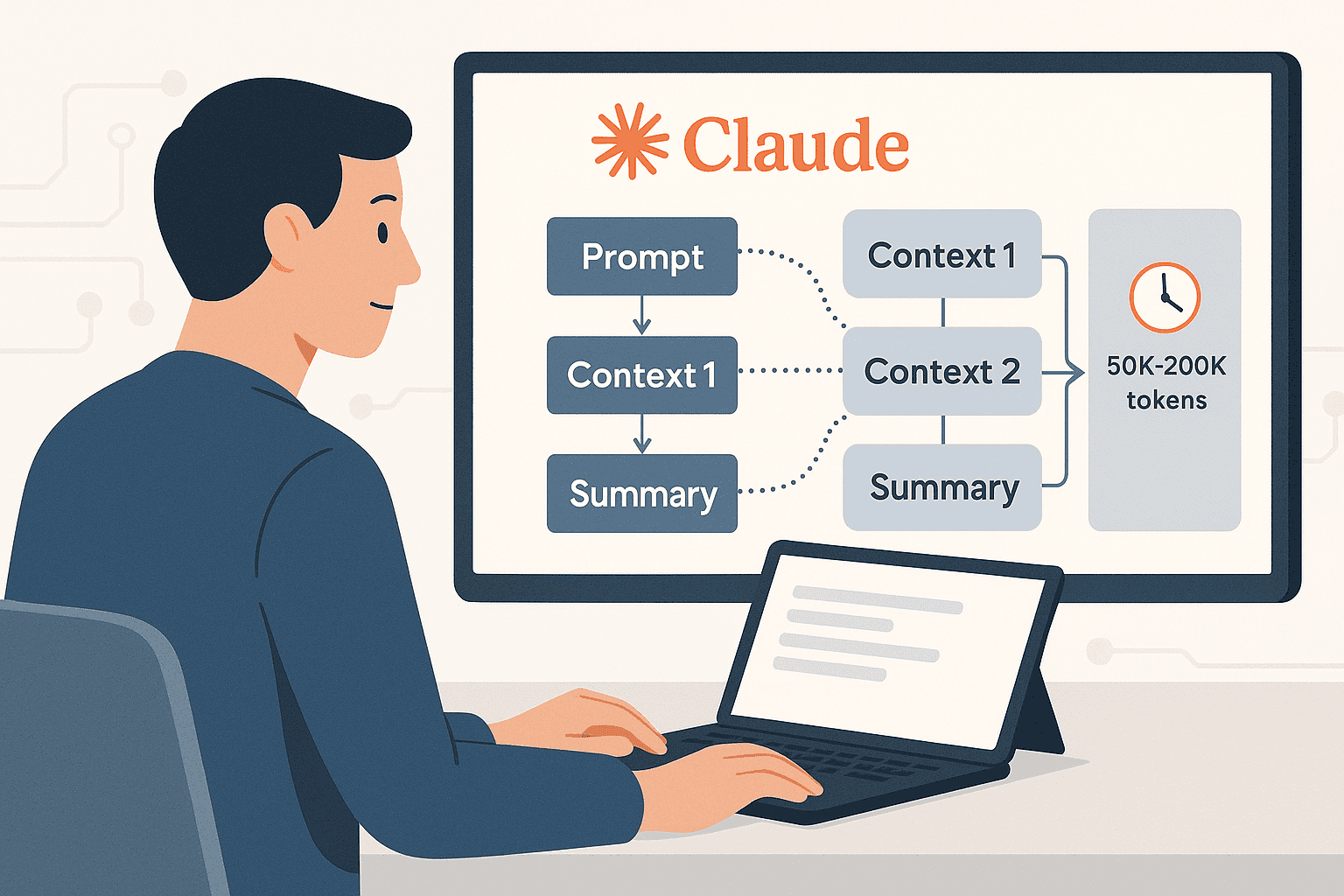

Large language models are breaking new ground with long-context capabilities, allowing them to read and reason over massive amounts of text (50,000 to 200,000 tokens at a time). Claude 3.5 is at the forefront of this trend – it’s Anthropic’s latest model designed to handle extremely large inputs and deliver coherent, intelligent responses. In practical terms, a context of 200K tokens means Claude 3.5 can ingest hundreds of pages of text (roughly 150,000 words) in a single prompt. This unlocks use cases like analyzing multiple documents together, summarizing entire books or datasets, and performing complex reasoning across many pieces of information simultaneously.
In this comprehensive guide, we’ll explore effective prompt patterns for Claude 3.5 when working with very large contexts. We’ll identify who benefits from these long-context capabilities, showcase high-value tasks that Claude 3.5 can tackle, and provide ready-to-use prompt templates and examples. You’ll also find best practices for formatting your prompts and ensuring accurate results (minimizing hallucinations) even when the prompt is huge. Let’s dive in!
Target Audience for Long-Context Prompts
Long-context prompt patterns with Claude 3.5 are especially useful for professionals and teams dealing with large volumes of text or complex multi-document workflows. This guide is written for:
- AI Engineers – working on applications that feed large documents or multiple data sources into an AI for analysis.
- Prompt Engineers – designing advanced prompt strategies for systems that require very long inputs (50K+ tokens).
- Enterprise Technical Teams – handling multi-document pipelines (e.g. reading numerous reports, knowledge base articles, or logs in one go).
- Researchers and Data Scientists – performing large-scale text analysis, literature reviews, or processing extensive research papers with AI assistance.
- Product Managers – building AI-driven features (chatbots, assistants, summarization tools) that rely on long-context reasoning to deliver value (such as summarizing entire manuals or comparing lengthy contracts).
If you fall into one of these categories, the patterns and examples below will help you leverage Claude 3.5’s capabilities effectively.
High-Value Use Cases Enabled by Claude 3.5’s Long Context
Claude 3.5’s extended context window opens up a range of high-value use cases that were previously impractical with smaller context models. Here are some of the most impactful long-context tasks you can implement (spanning roughly 50K–200K tokens):
Multi-Document Analysis & Synthesis: Feed multiple documents (reports, articles, PDFs, etc.) into one prompt and have Claude analyze or synthesize information across them. Example: Providing 10 related research papers (all at once) and asking for a unified summary or comparative analysis.
Complex Question-Answering over Large Datasets: Ask detailed questions that require evidence from a large text dataset or knowledge base provided in the prompt. Claude can scan through tens of thousands of tokens to find relevant answers. Example: Supplying an entire product FAQ (or a lengthy book) and asking nuanced questions whose answers are buried within.
Long-Form Comparisons (Reports, Contracts, Papers): Claude can compare and contrast multiple lengthy documents side-by-side. Example: Input two long contracts or policy documents and prompt Claude to highlight key differences and conflicting clauses between them.
Structured Data Extraction from Lengthy Documents: Extract specific information or structured data from a very large document. Example: Feeding a 100-page technical report and asking Claude to pull out all the safety compliance requirements as a checklist.
Multi-Step Reasoning Across Distributed Context: In a single prompt, include various pieces of context (data, articles, summaries) and have Claude perform a chain of reasoning that connects them. Example: Provide a set of interrelated case studies or customer feedback logs and instruct Claude to derive higher-level insights or recommendations, referencing all pieces.
Summarization and Distillation of Large Corpora: Summarize or distill the essence of a huge text or a collection of texts. Claude 3.5 can generate concise summaries for documents that are tens of thousands of tokens long. Example: Input a full book or an entire quarterly financial report and get a summary or executive brief covering all important points.
Retrieval-Enhanced Prompting for Long Contexts: Combine Claude’s long context with retrieval of relevant information. Even though 200K tokens is vast, you may have millions of tokens of enterprise data – so you can retrieve the top relevant chunks (say 100K tokens worth of content) and feed those into Claude in one go. This way, Claude effectively acts as a reader for retrieved knowledge, giving grounded answers. Example: Using a vector database to fetch the most relevant pages from your company’s document repository and supplying them all to Claude 3.5 to answer a specific query.
Each of these use cases leverages Claude 3.5’s ability to read “the whole thing” – whether that’s an entire novel, a huge batch of documents, or lengthy transcripts – and produce a meaningful result that shorter context models would struggle with. In the next sections, we’ll focus on how to craft prompts to accomplish these tasks.
Why Focus on Claude 3.5 for Long-Context Tasks?
You might wonder why we’re emphasizing Claude 3.5 (vs. older models like Claude 2.1) for these long-context prompt patterns. The reasons are clear:
Unmatched Context Length: Claude 3.5 supports extremely large prompts – up to around 200,000 tokens. This is roughly double the 100K token limit of Claude 2.1, giving it the ability to handle even larger documents or more documents at once. If you need to input hundreds of pages of text without truncation, Claude 3.5 is the go-to choice.
Strong Long-Context Performance: The model has been optimized for advanced reasoning over lengthy inputs. Claude 3.5 tends to maintain better coherence and understanding even as the prompt grows very long, whereas earlier models might lose track of details. In practice, this means more accurate answers that reference the right parts of your prompt, even if those parts are tens of thousands of tokens apart.
Stability and Efficiency: Handling large context can be memory- and compute-intensive. Claude 3.5 provides a more stable experience for these big prompts – fewer crashes or timeouts – and improved efficiency so responses come back faster relative to the prompt size. This stability is crucial in enterprise settings where long context prompts might be used in production systems.
Latest Model (as of 2025): Focusing on Claude 3.5 means you’re using Anthropic’s latest and most capable model. This guide aligns with the current state-of-the-art in long-context AI. Most developers searching for solutions in this area are interested in Claude 3.5 specifically, so we target our patterns to its features and behaviors. (We avoid direct comparisons to other models, but it’s safe to say Claude 3.5 is among the leaders in context length and is purpose-built for these use cases.)
In short, Claude 3.5 gives you the maximum flexibility for long-context tasks – it can take in more information and make better use of it. Next, let’s move on to practical prompting patterns and examples to help you get the most out of that large context window.
Effective Prompt Patterns for Large Contexts
Designing prompts for a 200K-token context is a new challenge. The good news is that many standard prompt engineering principles still apply – clarity, structure, and guidance are key. However, with so much information in the prompt, it becomes even more important to organize and instruct carefully. This section provides ready-to-use prompt templates, step-by-step examples, and formatting guidelines specifically tailored to long-context scenarios.
Structuring Multi-Document Inputs
When providing multiple documents or texts to Claude in one prompt, it’s crucial to structure them in a clear and organized way. Here’s a simple prompt template for feeding Claude 3.5 several documents followed by a question or task:
[INSTRUCTION/CONTEXT OVERVIEW]
You are an AI assistant tasked with analyzing multiple documents and answering a question based on their content. Use ONLY the information from the documents to inform your answer.

[DOCUMENT 1]
Title: <Title or brief description of Document 1>
Content:
"<Full text of document 1>"

[DOCUMENT 2]
Title: <Title or brief description of Document 2>
Content:
"<Full text of document 2>"

... (repeat for as many documents as needed, within token limit) ...

[USER QUESTION/REQUEST]
Considering **all the above documents**, please provide a detailed answer to the following question.
Question: "<insert the question or task here>"

*Ensure the answer is based only on the given documents. If certain details are from a specific document, you may reference it in the answer.*
In this template:
- We begin with a brief Instruction/Context Overview. This can act as a system or user instruction telling Claude what its role is (“analyzing multiple documents”) and an important note to use only the given information. This helps prevent the model from drifting into outside knowledge or hallucination.
- Each document is clearly separated and labeled. We use a heading or identifier like
[DOCUMENT 1], along with a Title or description, followed by the content. Quoting the content (with quotes or a code block) can sometimes help the model distinguish the document text from the rest of the prompt, especially if the documents contain formatting or technical content. - After listing all documents, we present the User’s Question or Request. This part explicitly asks the model to consider all the above and perform some task (answering a question, writing a summary, comparing documents, etc.).
- The phrasing “Considering all the above documents…” reminds Claude to use the entire context. We also reiterate that the answer should be based only on the provided info. This is a subtle but important instruction for accuracy.
Why this structure? In a long prompt, clarity is king. By chunking the prompt into labeled sections, Claude can better keep track of which content belongs to which document. Think of it as giving the model a well-organized binder of information rather than a huge messy scroll.
Tip: For each document, you might even add a one-line summary or key points (if you have them) right after the title. This can guide Claude’s attention, especially if the document is extremely long. However, be cautious – if you provide a summary, the model might rely on it and overlook details, so only do this if a high-level guide is needed.
Example: Multi-Document Q&A Step-by-Step
Let’s walk through an annotated example of using the above pattern for a practical task. Suppose we have three documents: a research paper, a company policy, and a news article. We want Claude to answer a question that requires pulling information from all three.
- Prepare the Documents: Ensure you have the full text of each document ready (or at least the relevant portions). Label them as Document 1, 2, 3. For instance:
- Document 1: Research on Renewable Energy Adoption (content about study results, statistics, etc.)
- Document 2: Company X Sustainability Policy (content about the company’s goals and rules)
- Document 3: News Article on Recent Sustainability Initiatives (content covering recent events or data).
- Write the Instruction/Overview: At the top of the prompt, instruct Claude. E.g., “You are an AI assistant helping to answer questions using multiple documents. Use only the given documents for your answer.” This sets the stage.
- Insert Documents with Labels: Copy each document’s text under its label. For example:
[DOCUMENT 1]\nTitle: Research on Renewable Energy Adoption\nContent: "<full text of paper>", and so on for Document 2 and 3. Make sure each is clearly separated, perhaps with an empty line or a divider between documents.
- Ask the Question: After all documents, write something like: “Question: Based on the information above, what are the main challenges Company X faces in implementing renewable energy, and what solutions have been proposed in the research and news sources?”
- Double-Check Prompt Length: This whole prompt might be very long. Claude 3.5 can handle it as long as you’re within the ~200K token limit. If you suspect you’re over, you might need to trim less relevant parts of the documents or break the task into parts (though one goal of long context is to avoid splitting).
- Send the Prompt to Claude 3.5: Once the model processes it, you should get an answer that synthesizes all three documents – e.g., listing challenges mentioned in the policy, referencing data from the research, and perhaps noting a recent initiative from the news article as a solution.
By following these steps, you allow Claude to act as a cross-document analyst, reading each piece and combining them. The key is that our prompt explicitly told it to consider all documents and only use those for information. The model doesn’t have to guess what the task is or whether it should use external knowledge – everything it needs is in front of it, clearly organized.
Long-Form Summarization Patterns
Summarizing a single very large document (or a collection of documents) is a common long-context task. With Claude 3.5, you can feed in, for example, an entire book or a huge report and ask for a summary. However, to get a good summary, it helps to guide the model on what kind of summary you want.
Prompt Template for Summarization:
[DOCUMENT]
Title: <Title of the document or corpus>
Content:
"<Full text of the document or concatenated texts>"

[TASK]
You are an expert summarizer. Read the above document in full and provide a concise summary that covers the following:
- Key themes and points (what is it about overall?)
- Important details or findings (specific data, conclusions, or events mentioned)
- The tone or perspective of the document (if relevant, e.g., academic, narrative, policy stance).

Your summary should be well-organized and understandable *without* needing to read the original. Aim for 3-4 paragraphs of clear, informative text.
In this template, we present the document (or the combined corpus of text) first, then explicitly instruct the AI to summarize it. A few notes:
- We include specific bullet points on what the summary should cover. This ensures the model knows what to focus on (themes, details, tone). Without this, a generic “summarize this” might result in missing some aspects you care about.
- We set a guideline for length (“3-4 paragraphs”) and style (“clear, informative text”). This helps the model gauge the level of detail needed. Otherwise, it might produce too short of a summary (missing details) or an overly long one (defeating the purpose of summarization).
- By stating “understandable without needing to read the original”, we encourage Claude to make the summary self-contained (e.g., explaining terms or context as needed).
- The prompt calls the model an “expert summarizer” – a bit of role instruction that can prompt it to take the task seriously and possibly adopt a more professional tone.
Handling Multi-Document Summaries: If you want a summary of multiple documents collectively (like a summary of a whole set of articles on a topic), you can use a similar approach. Provide each document, then ask for a combined summary. In that case, instruct the model to merge insights: “Summarize the above documents, discussing how they relate and what the overall findings are.” This is essentially a synthesis task.
Potential Pitfall & Solution: Summarizing a very large text (say, 150k tokens of input) is challenging even for Claude 3.5. One risk is that the model might focus heavily on the beginning of the text and give less attention to the end (a known limitation where models have positional biases – early parts might dominate). To mitigate this, consider:
- Segmenting and Recursing: You could ask Claude first to summarize each section or chapter (if you have natural divisions), then ask it to summarize the summaries. With 200K tokens, often you may not need this, but it can improve quality.
- Explicit Reminders in Prompt: e.g., “Make sure to cover all sections of the document, including later parts such as [mention specific sections if you can].” This reminds the model not to ignore the tail of the text.
Long-Context Prompt Formatting Guidelines
When dealing with huge prompts, formatting isn’t just about aesthetics – it directly impacts how well the model understands and utilizes the input. Here are some clear formatting guidelines for long-context prompts:
Use Section Headings or Labels: Always break the prompt into logical sections with headers (e.g., [DOCUMENT 1], [BACKGROUND], [INSTRUCTIONS], [QUESTION], etc.). This acts like signposts for Claude, indicating context switches or different content. It reduces confusion, especially when mixing multiple sources or types of content.
Separate Large Blocks of Text: Avoid running one document’s text immediately into another. Put a clear delimiter (like a line of dashes or at least a blank line and a label) between them. If the documents themselves are structured (with chapters or sections), preserve that structure as much as possible to help the model navigate the content.
Provide High-Level Context First: If your prompt involves a task (like Q&A or analysis), it often helps to preface the documents with a brief summary or context of the task. For example, “The following are three reports about climate change policies. We will ask a question comparing their findings.” This primes the model about what to look for in the long text.
Keep Instructions Clear and Prominent: In a long prompt, your actual question or command to the model can get “lost” amidst tens of thousands of tokens. To prevent this, highlight or repeat the instructions near the end, and perhaps also briefly at the start. For instance, after a long context, you might restate: “(Reminder: answer the question comparing Document A and B)”. Claude 3.5 is generally good at handling long inputs, but a well-placed reminder can improve focus.
Avoid Redundancy and Noise: While you have the space to include a lot of text, include only what is necessary for the task. Irrelevant data can act as distractors. If certain parts of documents aren’t needed, consider summarizing or truncating them. A cleaner prompt leads to a cleaner answer.
Test with Smaller Samples First: If possible, test your prompt pattern with a subset of the data (maybe using just summaries of each document) to ensure Claude understands the format. Once you’re confident, scale up to the full documents.
By following these formatting practices, you’re making Claude’s job easier – it can parse the input logically rather than wading through an unstructured blob of text. Think of it as formatting a research paper or a book; it’s the same principle but for the AI’s “reading comprehension.”
Reducing Hallucinations in Large Contexts
Hallucination refers to the AI making up information not supported by the input. With very large contexts, one might expect the model to never need to fabricate facts (since you can provide everything). However, long prompts come with their own challenges – the model might get overwhelmed or misinterpret something, leading to an incorrect or invented detail in its response. Here are best practices to ensure reliable outputs when using Claude 3.5 with huge prompts:
Explicitly Instruct “Use Provided Information Only”: As shown in our templates, tell Claude outright to base its answer only on the given documents. Phrases like “If information is not in the above text, do not speculate” or “Answer strictly using the content provided” set a clear expectation. Claude (especially in its latest version) tends to follow such instructions and will avoid going off-script.
Ask for Source Attribution (if feasible): You can prompt Claude to cite which document or section an answer came from. For example: “In your answer, mention which document supports each point.” This not only makes the answer more trustworthy, but it forces the model to constantly check the source before it states a fact. Be aware, the model’s “citations” aren’t guaranteed to be perfect, but this approach encourages it to stick to the text. (As of now, Claude doesn’t have an automatic reference system, but a written prompt like this can guide its behavior.)
Divide the Task and Re-verify: For complex queries, you can use a two-pass approach – in the first pass, ask Claude to extract or list relevant facts from the documents; in the second pass, feed those extracted facts (with references to the docs) and ask it to form the final answer. This way, you ensure the content in the answer was actually found in the context. Essentially, Claude first acts as an information extractor, then as an analyst. This can drastically reduce hallucination because you as the user see the extracted facts first.
Monitor Length and Relevance: Sometimes if the prompt is extremely long but the question is narrow, Claude might latch onto something tangential and run with it. To avoid this, make sure your question is specific and, if possible, point the model to where the answer might lie. For example: “(Refer to Document 3 for financial figures)” if the question is about numbers that you know are in Document 3. Steering the model within the prompt can prevent it from wandering into irrelevant parts of the context.
Model Setting and Temperature: When using the API (if you are), you can adjust the temperature parameter. A lower temperature (e.g., 0 or 0.1) will make the output more deterministic and stick closer to the data, which can reduce made-up content. A higher temperature might generate more fluent or creative answers but at the risk of introducing fabrications – not ideal for factual tasks. For long-context factual QA, lean towards a lower temperature for precision.
Keep an Eye on Interactions: If you’re working in a conversational setting, remember that each new user query can still access the previous context under the hood. However, there might be a limit on how much of the earlier conversation remains when it gets very large. If you’ve just given Claude 150k tokens of info and got an answer, and now you ask a follow-up question, be aware that the model’s attention might prioritize the latest parts of context. It might not “remember” every detail of the entire 150k tokens from two turns ago. So in follow-ups, consider briefly restating key points or using techniques like summarizing the previous answer and asking a new question based on it. This isn’t hallucination per se, but it’s about not assuming perfect retention across turns.
Following these practices, users have found Claude 3.5 to be remarkably accurate and grounded even with massive prompts. In fact, early uses of Claude with 100K-token inputs (roughly the length of The Great Gatsby in words) showed it could summarize and answer questions about the content without inventing details. The improvements in version 3.5 further enhance this reliability, making it feasible to trust Claude with critical analysis of very large texts.
(A quick note: Always review critical outputs, especially if making high-stakes decisions. Long context or not, it’s good practice to have a human verify important facts.)
Prompt Templates and Examples Library
To wrap up the practical portion of this guide, here is a “library” of prompt patterns – a quick reference you can copy and adapt for common long-context scenarios with Claude 3.5:
Multi-Document Q&A Template: (As discussed earlier) – Use the structured documents format and ask a question.
Example snippet: “You are an AI assistant with access to multiple reports. After each report, I will ask a question. … [documents] … Question: <Your question>”.*
Comparative Analysis Template: When you want Claude to compare documents. Structure the prompt with Document A and Document B (and C, etc. if needed). After the documents, write an instruction like: “Compare Document A and Document B on XYZ criteria. Provide a point-by-point comparison, mentioning any conflicting or corroborating points between the documents.”
Summarization Template: (From above) – Provide the full text, then say “Summarize the above [document/book] covering these points…”.
Example snippet: “The following is the transcript of a day-long meeting (100 pages). Summarize the discussions, decisions made, and any open questions. … [transcript] …”.*
Extraction Template (Structured Output): If you need structured data from a big text. e.g., “Below is the text of a legal contract. Extract all the obligations of Party A in a bullet list. If an obligation has a time frame or condition, include that detail. … [contract text] …”. Claude will then list out the obligations. You can tweak this for other extraction tasks (like extracting people, dates, requirements, etc.).
Brainstorming over Large Context: Perhaps you fed a huge knowledge base or a lengthy article and you want some creative or strategic output from it. e.g., “Using all the information above (which covers our company’s history, product lines, and market data), brainstorm 5 innovative product ideas that leverage our strengths and address gaps in the market. Explain each idea briefly.” This uses the context for a creative purpose. The prompt guides Claude to use the given info as a basis for new ideas – a powerful way to combine knowledge and creativity without hallucinating unrelated ideas.
Each template can be adjusted to your specific content. The key is the pattern: give clear roles and instructions, present the necessary information in an organized way, and then ask for the output you need.
Conclusion
Claude 3.5’s ability to handle 50K–200K token contexts is a game-changer for AI applications. It means we can finally bring entire libraries of information to a single AI query, enabling deep analysis, comprehensive Q&A, and thorough summarization that just wasn’t possible with smaller context models. For AI engineers, prompt designers, and product builders, mastering these long-context prompt patterns will open up new levels of capability in your systems – from ingesting whole knowledge bases in one go, to comparing documents side-by-side, to extracting insights from reams of text automatically.
In this article, we covered the who, what, and how of long-context prompting with Claude 3.5:
- Who can benefit: from AI engineers to researchers and PMs, anyone dealing with large text volumes.
- What tasks shine with long contexts: multi-doc analysis, complex QA, long-form comparisons, big summarizations, and more.
- How to prompt effectively: using structured inputs, clear instructions, and templates for various scenarios, while keeping the model focused and factual.
By focusing on Claude 3.5 long-context prompts, you’re leveraging the latest model that’s specifically tuned for these challenges. As you apply these patterns, remember that prompt engineering is often iterative – don’t hesitate to experiment with slight changes in wording or structure to see how it impacts Claude’s responses. Given the magnitude of the context we’re working with, small tweaks can sometimes have significant effects on what the model emphasizes.
Finally, although Claude 3.5 is powerful, always combine its insights with your own domain knowledge and verification processes. Use the AI as an amplifier of your analysis, especially when working through huge texts, but keep a critical eye on the outputs for the best results.
Harnessing a 200K-token window might seem daunting at first, but with the guidelines and examples provided here, you should be well-equipped to design prompts that make Claude 3.5 your tireless assistant for even the most extensive reading and reasoning tasks. Happy prompting!