
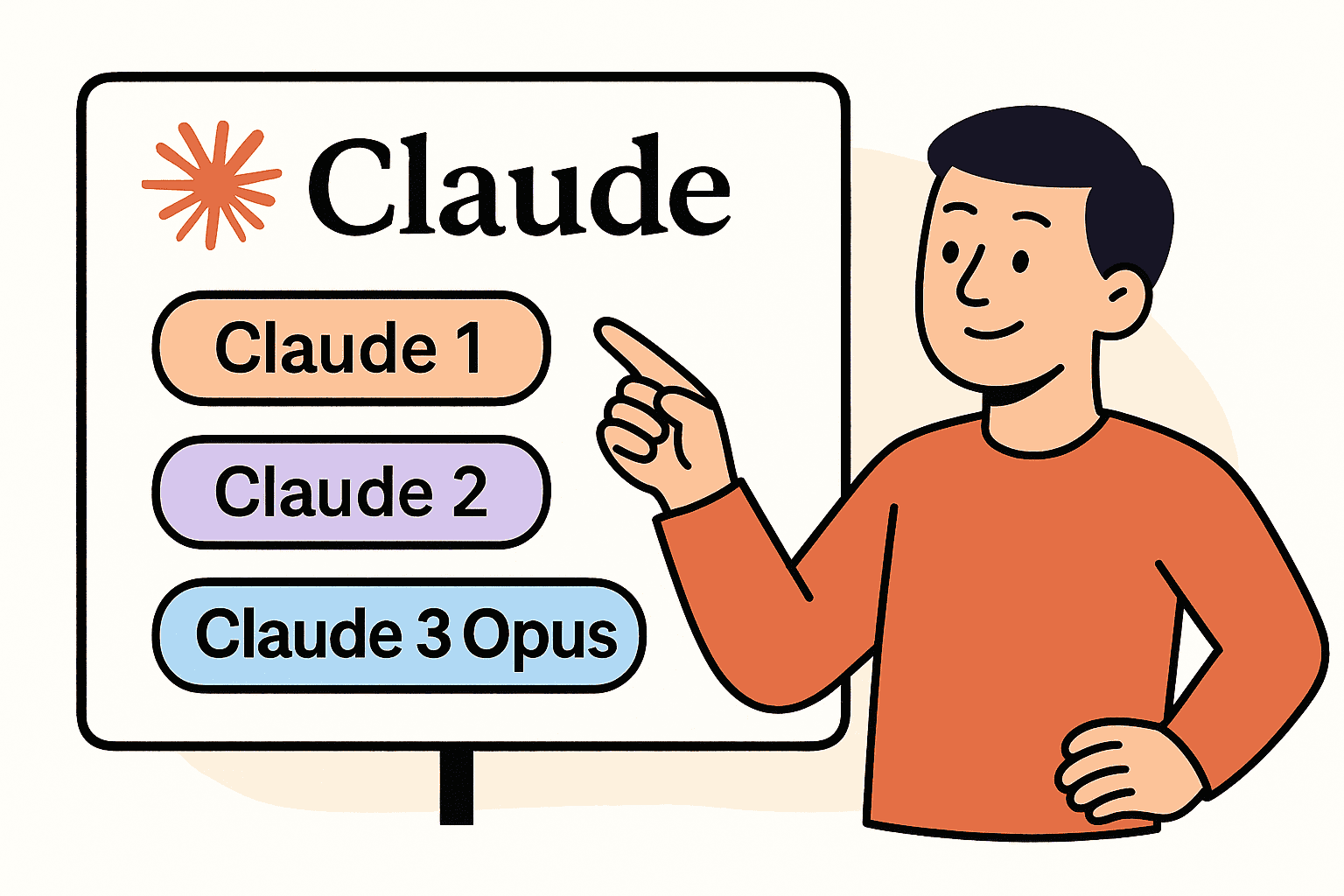

Claude is an AI assistant developed by Anthropic, and it comes in several model variants. Each variant offers a different balance of intelligence, speed, and cost so that you can choose the best fit for your needs. In this guide, we’ll break down the current Claude models – Claude 3 Opus, Claude 3 Sonnet, Claude 3 Haiku, as well as the older Claude 2.1, Claude 2, and Claude Instant – and explain when to use each one. The tone here is neutral and educational, so even beginners can follow along without any fluff or marketing spin.
Before diving in, remember that more complex tasks typically require more powerful models, whereas simpler or real-time tasks can use faster, cost-efficient models. If you’re unsure which model to start with, a mid-tier model like Claude Sonnet is often a safe default because it balances capability and speed for most use cases. Now let’s explore each model in turn with real-world examples and use cases.
Claude 3 Opus – Maximum Power for Complex Tasks
Claude 3 Opus is the most powerful and intelligent model in the Claude 3 family. It’s designed for tasks that demand top-tier performance and near-human level understanding. Opus achieves state-of-the-art results in areas like complex reasoning, advanced mathematics, and code generation. In other words, if you have a highly challenging task, Opus is the “expert” model that can tackle it with the greatest accuracy and depth.
Key characteristics: Claude 3 Opus offers the highest intelligence in the lineup, albeit at the highest cost and with slightly more latency than smaller models. Its speed is comparable to the previous generation models (Claude 2/2.1), but it delivers far superior reasoning and comprehension. Notably, Opus supports very large context windows (up to about 200,000 tokens, which is roughly 150k words or 500 pages) for input. This means you can provide massive documents or multiple files at once, and Opus can analyze them together without losing track. This long-context ability is ideal for research or any use case where you need to feed a lot of information for the model to process.
When to choose Claude 3 Opus: Use Opus for scenarios where accuracy and depth are your top priority and you’re handling complex or lengthy materials. Some examples include:
- In-depth research and analysis: Opus can review academic papers, technical reports, or large knowledge bases and provide detailed insights or summaries. For instance, analyzing a complex 100-page scientific report with nuanced reasoning and getting a reliable summary or hypothesis generation is a task suited for Opus.
- Long document processing: If you need to input entire books, extensive legal contracts, or multi-thousand-line codebases, Opus can handle it due to its huge context window. It can absorb hundreds of pages in one go and answer questions or extract information across them. This makes it ideal for tasks like comparing multiple lengthy documents or extracting trends from large data dumps.
- Advanced coding assistance and technical reasoning: For complex programming tasks, debugging a large code project, or solving difficult math problems, Opus’s superior reasoning is invaluable. It can follow very complex instructions and produce coherent, structured outputs for intricate problems. For example, if you’re developing an application and need help writing a tricky algorithm or debugging code with many interdependent parts, Opus has the capacity to handle the entire context and suggest high-quality solutions.
In short, Claude 3 Opus is like having an AI expert on call. Choose Opus when you have a demanding task that benefits from the maximum brainpower Claude can offer – be it deep research, strategy analysis, or complex problem-solving. Keep in mind that this power comes with higher usage cost and slightly slower responses than smaller models, so it’s best reserved for when the extra intelligence really matters.
Claude 3 Sonnet – Balanced Performance for Everyday Needs
Claude 3 Sonnet is the balanced all-rounder of the Claude 3 family. It offers an excellent mix of strong intelligence with higher speed and lower cost than Opus. Think of Sonnet as the model for everyday productivity and mid-level tasks – it’s powerful enough to handle complex prompts, but optimized to be faster and more affordable for broad use. In fact, Claude 3 Sonnet is often the default model used in Claude’s free tier chat interface, showing that it’s a go-to choice for general usage.
Key characteristics: Sonnet provides a balance between capability and efficiency. It can perform nuanced reasoning, creative writing, coding help, and more, almost on par with Opus for many tasks, while typically responding about twice as fast as Claude 2 did. This makes it suitable for interactive or iterative workflows where you want good quality answers without long waits. Sonnet also has the same large context window (up to ~200K tokens) available, so it can process long inputs similar to Opus. The difference is that Sonnet is tuned to be quicker and cost-effective, trading off a little top-end intelligence for speed. Anthropic describes Claude Sonnet as striking “the ideal balance between intelligence and speed” for enterprise workloads.
When to choose Claude 3 Sonnet: Pick Sonnet for most day-to-day tasks where you need reliable AI assistance but don’t necessarily require the absolute maximum power of Opus. Some use cases and examples:
Daily content creation and brainstorming: Sonnet is great for tasks like drafting emails, writing blog posts, generating social media content ideas, or proofreading. It can follow instructions well to produce coherent and structured text. For example, if you need a 1000-word blog article on a given topic, Sonnet can draft it with ease and clarity, saving you time in your writing process.
Medium-complexity reasoning and Q&A: For question-answering, explaining concepts, or analyzing moderately complex documents, Sonnet usually excels. It’s noted to handle tasks like writing summaries, answering questions about documents, and holding conversations in multiple languages very effectively. If you have a report or a knowledge base and need an answer or summary quickly, Sonnet’s faster response makes it ideal for knowledge retrieval tasks.
Coding assistance for typical projects: Sonnet can help with programming tasks such as generating functions, debugging errors, or explaining code, especially for small to mid-sized code snippets. It may not reach the absolute coding prowess of Opus on very complex code, but it’s more than capable for everyday coding queries. For instance, asking Sonnet to write a snippet of code (in Python, JavaScript, etc.) for a given task or to help troubleshoot a bug in a function will usually yield good results promptly.
Content ideation and creative assistance: If you need to brainstorm ideas – say, topics for a video, outlines for an essay, or product names – Sonnet can produce creative suggestions quickly. It maintains a good level of fluency and creativity suitable for content ideation while still being fast enough for an interactive brainstorming session.
Overall, Claude 3 Sonnet is the “go-to” model for most users because it combines much of Claude’s intelligence with speed. It’s like having a very knowledgeable assistant who can work quickly. Choose Sonnet if you want strong performance at a lower cost, for tasks like writing, moderate reasoning, and day-to-day automation. It shines in scenarios where you need quick turnaround and solid quality – making it ideal for business productivity tools, chatbots that need fairly sophisticated replies, and any application that must scale to many requests without using the highest-cost model. (As a bonus, its widespread availability – powering Claude’s free tier – means it’s battle-tested for general usage.)
Claude 3 Haiku – Fast, Cost-Effective Responses for Simple Tasks
Claude 3 Haiku is the fastest and most affordable model in the Claude 3 lineup. It’s a compact model optimized for near-instant responses, making it perfect for real-time applications and high-volume tasks where speed and cost matter more than having the deepest reasoning ability. In essence, Haiku trades some of the raw power of Opus/Sonnet for the ability to respond almost immediately and handle many requests cheaply. If Opus is an expert and Sonnet a well-rounded professional, think of Haiku as an enthusiastic assistant that responds at lightning speed.
Key characteristics: Haiku delivers results with unmatched speed – Anthropic calls it “our fastest, most compact model for near-instant responsiveness”. It can process input and generate output extremely quickly, even on fairly large inputs. For example, Claude Haiku can read and analyze a dense 10,000-token research paper (around 30 pages) with charts and graphs in under 3 seconds, which is incredible for applications like real-time data monitoring or quickly summarizing news articles.
Among the Claude 3 models, Haiku is the least costly to use, making it ideal for cost-sensitive deployments (like handling thousands of customer queries). The trade-off is that Haiku, while still quite intelligent, is not as capable as Sonnet or Opus on very complex tasks. It’s designed for straightforward queries and tasks where a quick answer is more useful than an extremely nuanced one. In practice, Haiku still performs remarkably well on many benchmarks given its size, but you might notice it can be less detailed or a bit less accurate on very difficult prompts compared to its larger siblings.
When to choose Claude 3 Haiku: Use Haiku when speed, scalability, or cost-efficiency is your top concern, and your tasks are relatively simple or time-sensitive. Here are scenarios where Haiku is the best fit:
Summaries and quick information extraction: Haiku excels at reading texts and giving you the gist almost instantly. If you need a summary of an article, a quick recap of a meeting transcript, or key points from a long email, Haiku will deliver it in a blink. For example, integrating Haiku into a news app to summarize breaking news for users would ensure they get updates with minimal delay.
Fast Q&A and live chatbots: For live customer support chats, AI assistants on websites, or interactive chatbots in messaging apps, responsiveness is crucial. Haiku is ideal here – it’s built for live interactions, providing answers to user queries with minimal latency. If you run a customer service chatbot that answers FAQs, Haiku can handle large volumes of questions and respond in near real-time, keeping the conversation flowing naturally.
Brainstorming and idea generation on the fly: When you need many ideas quickly (e.g. generating a list of taglines, or rapid-fire creative suggestions), Haiku can spit out options almost as fast as you can read them. Its responses might be a bit simpler, but speed is the priority during an initial brainstorming session. You can always use a slower model later to refine the top ideas.
Simple workflows and automation scripts: Haiku is great for straightforward tasks like translating short text, checking content for moderation (e.g. detecting if a message might be harmful), or routing requests in a workflow. These tasks often require processing many items quickly rather than deep reasoning. For instance, an e-commerce platform could use Haiku to instantly analyze user reviews or chat messages for inappropriate content (content moderation) and flag them, all in real-time. Another example is using Haiku to power a voice assistant’s responses for simple queries – the speed ensures users get an answer without delay.
Small-scale or embedded AI features: Because Haiku is compact and efficient, it can be suitable for embedding in applications where resources are limited or you need to serve a large number of users concurrently. If you are building an AI feature in a mobile app (say, a quick recommendation or a personal diary analyzer), Haiku’s cost-effective nature allows you to serve those features to many users without running up huge costs.
In summary, Claude 3 Haiku is the model to choose for fast, on-demand responses and large-scale deployments. It provides “good-enough” intelligence at blazing speed. This makes it highly effective for use cases like real-time chat, rapid summarization, and any scenario where being quick and affordable is more important than being exhaustively detailed. If your application needs instant answers or handles high volumes of simple requests (for example, a chatbot that handles basic queries or a service that monitors and summarizes information in real time), Haiku is likely your best bet.
Claude 2.1 and Claude 2 – Legacy Models for Simpler or Existing Use Cases
Before the Claude 3 series, Claude 2 (launched July 2023) and Claude 2.1 (November 2023) were the leading versions of Anthropic’s AI. You might come across them if you’re using older integrations or reading past documentation. These models are generally considered legacy today, as the Claude 3 family has surpassed them in capabilities. However, understanding Claude 2/2.1 is useful for historical context and certain niche scenarios. They introduced some important features that laid the groundwork for Claude 3, and you might still use them for backward compatibility in older applications or when a lightweight solution is sufficient.
Key characteristics: Claude 2 and 2.1 were notable for their ability to handle very large inputs and for improvements in reliability. Claude 2.0 already allowed very long prompts (around 100K tokens, which was huge at the time), and Claude 2.1 doubled that to 200K tokens – about 150,000 words or 500 pages of text. This wide context window was an industry first in late 2023, enabling users to upload things like entire technical manuals or multiple book chapters for analysis.
Along with the larger context, Claude 2.1 focused on reducing errors and “hallucinations” (irrelevant or incorrect statements). In fact, Anthropic reported that Claude 2.1 produced half as many false statements as Claude 2.0, with a significant decrease in inaccurate answers on long documents. This meant more reliable and structured outputs – the model was more likely to say “I don’t know” or stay truthful rather than make something up, which is important for business applications requiring accuracy.
Claude 2.x models were also quite good at following formatting instructions and giving structured responses. By version 2.1, they could return output in formats like lists or JSON more consistently when instructed, compared to the first-generation Claude. (For example, one improvement in the Claude Instant 1.2 model – which used Claude 2’s advancements – was that it could produce longer, more structured responses and follow formatting guidelines better than before.)
Despite these advances, by today’s standards the Claude 2 series is less capable in pure reasoning and creativity than the Claude 3 models. Users sometimes noticed Claude 2 was overly cautious or would refuse requests that newer models handle easily – Anthropic adjusted this in Claude 3 to reduce unnecessary refusals.
Performance-wise, Claude 3 Sonnet and Opus can do everything Claude 2 did, but faster and with higher quality. In fact, human evaluations have shown Claude 3 Sonnet clearly outperforming Claude 2 across writing, coding, and Q&A tasks. For a new user, this means you’ll generally want to use the Claude 3 family. However, there are a couple of scenarios where Claude 2/2.1 might still be relevant:
Backward compatibility in existing systems: If you have an existing application, bot, or workflow built around Claude 2’s outputs, you might continue using it until you update your system. For example, maybe you fine-tuned your prompts to get a specific JSON output from Claude 2 for an automation script. Since Claude 3 models are a bit different in style, you might keep Claude 2.1 running in that automation to avoid breaking anything, at least in the short term.
Lightweight or non-critical tasks: In some cases, if you have access to Claude 2 and your task is simple (like basic grammar checking or a straightforward FAQ bot), using the older model could be sufficient. It’s like using a slightly older computer – it might not be the fastest, but it can still get the job done for light workloads. Moreover, when it was available, Claude 2 was slightly cheaper to run than Claude 3 Opus, so some non-critical jobs could prefer it to save cost. (Do note, however, that Anthropic has phased out Claude 2 models by mid-2025 in favor of the Claude 3 and Claude 4 generations, so new users may not have this option in practice.)
Structured output generation: If for some reason Claude 2’s style of output suits your needs better (maybe you observed it gives very concise answers or follows a template more strictly), you might stick to it. Generally though, Claude 3 is even better at structured outputs like JSON or tables, so this would be uncommon.
In general, Claude 2.1/2 were stepping stones that introduced very large context handling and improved safety. They are reliable but less powerful than Claude 3 models. You would typically choose them only if you are maintaining legacy systems or have specific constraints that require their use. For all new projects, you’d opt for the Claude 3 family which offers superior performance in the same scenarios. It’s good to be aware of Claude 2.1 and 2, but unless you explicitly need them, you can confidently use Sonnet or Haiku as a more capable replacement for lightweight needs (and Opus for heavy needs).
Claude Instant – Quick and Affordable (Legacy “Instant” Model)
Claude Instant refers to a line of smaller, faster variants of Claude that were offered alongside the main models in earlier generations. If you see the name “Claude Instant,” think of it as the precursor to Claude Haiku – a model that prioritizes speed and cost over maxed-out capability.
Anthropic launched the first Claude Instant back in March 2023 when they introduced Claude 1; they described it as a “lighter, less expensive, and much faster option” compared to the full Claude model. Essentially, Claude Instant was made for handling everyday tasks and high-volume usage where you don’t need the full reasoning power of the larger model.
Key characteristics: Claude Instant models (e.g., Instant 1.1, 1.2, etc.) were optimized for speed and cost-efficiency. They could handle a range of tasks including casual conversation, simple Q&A, text analysis, and summarization, but with lower latency and cost. For example, Claude Instant 1.2 (released August 2023) improved on the original by incorporating some of Claude 2’s strengths and achieved better results in math, coding, and reasoning than its predecessor – all while staying faster and cheaper to run.
Users often chose Instant models when they needed very fast response times or had to process a lot of queries under tight budget constraints. The trade-off was that Instant models were less advanced in understanding compared to the main Claude models of the same era.
They might miss nuance in very complex prompts or produce shorter, simpler answers, but they were more than capable for everyday tasks and casual dialogues. Another way to put it: if Claude Opus is a professor and Claude Sonnet a skilled teacher, then Claude Instant was like a quick student – it could give you an answer in a flash, though maybe not a deeply thought-out one.
When to choose Claude Instant: In the current Claude 3 model lineup, you typically wouldn’t choose an older Instant model (since Claude 3 Haiku fills that role with much greater capability). However, it’s useful to know when Claude Instant was used, especially if you come across older documentation or have access to the Claude Instant API in some environment. Historically, you’d use Claude Instant for:
Casual dialogue and chat: If you needed a bot to engage in simple conversation or banter without complex reasoning, Instant was ideal. It could generate friendly, coherent replies in a chat setting very quickly, making it good for chatbot features where response time is critical.
Basic text processing: Tasks like summarizing a short article, extracting key phrases from a document, or doing a quick sentiment analysis on a snippet of text are well-suited for a lighter model. Claude Instant could handle document comprehension and summarization tasks effectively, especially in scenarios like summarizing meeting notes right after the meeting, where speed is valued.
High-volume Q&A or routing: Suppose you have a service that gets thousands of simple questions (e.g., “What’s the weather in London?” or “How do I reset my password?”). An Instant model can answer these straightforward queries correctly and far more cheaply than running a large model for each question. This made it useful for call-center automation or FAQ bots that needed to scale.
Cost-sensitive applications: If you were working with a limited budget (for instance, a hobby project or a startup prototype) and your use case didn’t require the utmost accuracy, you might choose Claude Instant to keep costs down. Its pricing was significantly lower than the full model, so you could experiment and serve users without worrying about large bills.
It’s worth noting that with the advent of Claude 3 Haiku, the “Instant” concept lives on but under a new name. Claude 3 Haiku is effectively the successor, offering the speed of Instant but with much improved intelligence and larger context. Anthropic eventually retired the Claude Instant 1.x models in late 2024 as newer generations took over.
So, for a beginner today, you wouldn’t explicitly pick “Claude Instant” from a menu; instead, you’d pick Claude Haiku for the same kinds of fast, inexpensive tasks. However, understanding the term “Claude Instant” helps clarify historical discussions and documentation. If someone says, “use Instant for that task,” they mean using the smallest, quickest Claude available – which in the Claude 3 era means Claude Haiku.
Conclusion: Choosing the Right Claude Model for Your Needs
To wrap up, selecting the appropriate Claude model comes down to matching your project’s needs with each model’s strengths. Here’s a quick recap to guide your decision:
Claude 3 Opus – Use when you need the absolute best intelligence and accuracy. Choose Opus for complex research, intricate reasoning problems, long multi-document analysis, or advanced coding tasks. It’s the strongest model, capable of near-human comprehension on tough tasks, and can handle enormous context sizes in one go. Example: analyzing a huge financial report or solving a tricky engineering problem – Opus will give the most detailed, accurate answer (at a higher cost and slightly slower speed).
Claude 3 Sonnet – Use for balanced performance on general tasks. Sonnet shines in everyday applications: content writing, brainstorming ideas, moderate-length Q&A, and standard coding help. It delivers quality close to Opus but with faster responses and lower cost. Example: writing a blog post draft, getting ideas for marketing copy, or building a customer support chatbot – Sonnet handles these quickly and competently, making it an excellent default choice for most users.
Claude 3 Haiku – Use when speed and cost-efficiency are paramount and the tasks are relatively straightforward. Haiku is ideal for real-time services, large-scale query handling, and quick summaries. It’s extremely fast – perfect for interactive chatbots, live dashboards, or summarizing incoming data streams on the fly. Example: powering an AI assistant that answers simple user questions in an app instantly, or summarizing each email as it arrives in your inbox. Haiku gets it done with minimal delay and expense.
Claude 2.1 / Claude 2 – Consider only if you require legacy support or very specific older model behavior. These second-gen models were robust in their time (with big context windows and decent accuracy), but they have been surpassed by the Claude 3 family on almost all fronts. You might stick with them if you have an existing system built around Claude 2’s outputs or if you don’t have access to the newer models. Otherwise, for new projects, you’ll get better results using Claude 3 models (which have inherited and improved upon 2’s capabilities).
Claude Instant (Legacy) – The go-to for speed in previous versions, now effectively replaced by Claude Haiku. You’d use the Instant model in older setups where quick, simple answers were needed (casual chats, quick summaries) and cost was a concern. In the current lineup, just remember that Haiku serves this role with even better performance, so you don’t need a separate “Instant” model anymore.
Finally, if you’re ever unsure, Claude 3 Sonnet is a great starting point for most uses – it offers a bit of everything. You can always test your task on Sonnet and see the results. If you find you need more brainpower or accuracy, you can step up to Opus; if you realize you could sacrifice some detail for speed, you can try switching to Haiku.
Anthropic has made it relatively easy to swap models via their API, so you have flexibility as your needs evolve. The key is to think about your scenario: How complex are the queries? How fast do responses need to be? Are you handling huge documents or just short prompts? Answering these will point you to the right Claude model.
By understanding the strengths of Opus, Sonnet, Haiku, and the older models, you can now confidently pick the right Claude for any job. Each model is like a different tool in your toolbox – with this guide, you know which tool to grab for the task at hand. Happy building with Claude, and may your AI projects benefit from the optimal mix of intelligence and efficiency that Anthropic’s models provide!