
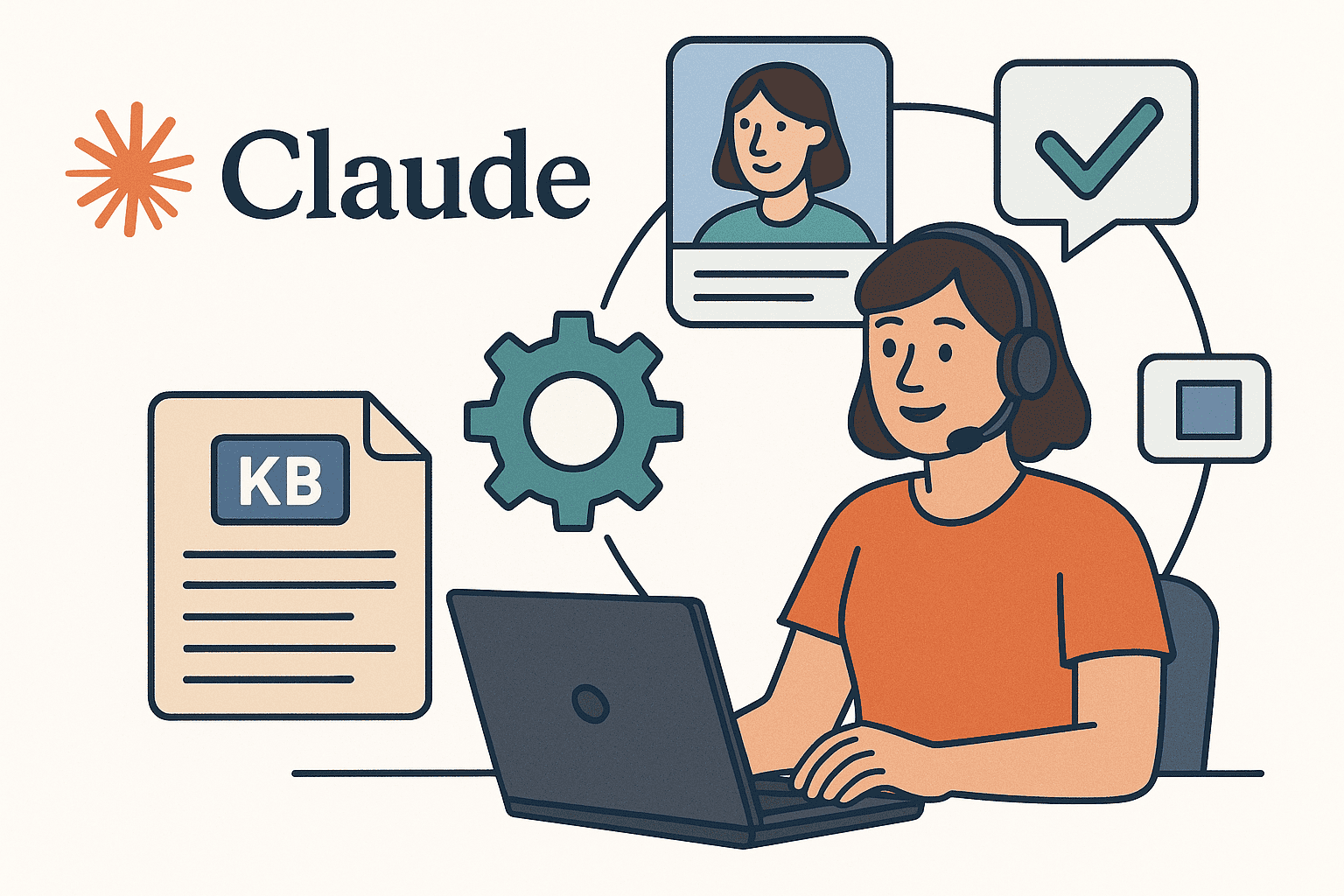

Customer support teams at SaaS startups, e-commerce brands, and enterprises are leveraging Claude – Anthropic’s AI assistant – to automate support workflows across ticketing systems, internal knowledge bases, and custom triage tools. With Claude’s advanced language capabilities, support teams can speed up responses, classify tickets automatically, and even draft new knowledge base content. This article provides a technical implementation guide for integrating Claude into customer support operations.
We’ll focus on how to use the Claude API (and Claude Code) to build automated macros, ticket triage pipelines, and knowledge base (KB) workflows – complete with code snippets and real examples. The tone here is purely technical and implementation-focused, just like developer documentation. Let’s dive in.
Integration Pathways with Claude
Claude offers multiple integration pathways to fit different support environments. Below are the main options for deploying Claude in your support stack:
Claude API Integration (Primary Focus): The most direct way to use Claude is via its REST API. You can send prompts (like ticket text or questions) to Claude’s API and receive completions (answers, classifications, drafts, etc.). This is ideal for building custom workflows in your existing systems. For example, you might call the Claude API from your ticketing system’s backend whenever a new ticket arrives or when an agent clicks a “Suggest Reply” button.
Claude Code for Internal Automation: Claude Code is an agentic CLI tool that lets Claude run in your terminal or CI pipeline for automation tasks. It can execute code, call APIs, and update files as part of workflows. This is powerful for internal tools – e.g. you could use Claude Code in a script that monitors incoming tickets and automatically categorizes or responds to them. Claude Code can be scripted just like Unix tools (it’s composable and scriptable): for instance, you can pipe ticket data to Claude and have it trigger actions. Claude Code even allows non-interactive “headless” operation for automation, so you can integrate it into cron jobs or CI jobs.
Helpdesk Platform Integrations (Zendesk, Intercom, Freshdesk): Even if you use third-party support platforms, you can integrate Claude conceptually via those platforms’ APIs or apps. For example, Zendesk supports triggers and webhooks – you could configure a trigger that sends the ticket text to a Claude API endpoint and returns an AI-generated draft reply or classification, which Zendesk then uses to set a field or present a macro suggestion.
Some providers (Zapier, Pipedream, n8n, etc.) also offer connectors to link Anthropic’s Claude with systems like Zendesk easily. While a deep dive into each platform’s integration is beyond scope, the key idea is that Claude can sit in the loop wherever you have an API hook: for example, a Zendesk trigger could call a cloud function that invokes Claude to analyze ticket #12345 and draft a response. Many helpdesks also allow side apps or extensions – you could build a sidebar tool where an agent clicks “Ask Claude” and it calls the API to get suggestions. (At this stage, treat these as conceptual patterns – the specifics differ per platform, but Claude’s API enables all of them.)
Custom Python Services and Webhooks: For maximum flexibility, you can create a custom service (in Python or any language) that uses Claude’s API to implement your support logic. For instance, you might run a small Flask or FastAPI service that listens for webhooks from your ticketing system (e.g. “new ticket created” events). When triggered, your service calls Claude’s API to perform some task (like classify the ticket or generate an answer) and then sends the result back (e.g. via the ticketing system’s API). This approach gives you full control: you can orchestrate multi-step workflows (perhaps first ask Claude to summarize a ticket, then ask Claude to draft a reply based on the summary and knowledge base snippets). We’ll see examples of using the Claude API in Python below – these can be adapted into such services.
With the integration options covered, let’s move on to specific Claude-powered workflows: creating automated macros, triaging tickets, generating KB articles, and using retrieval for better responses.
Building Claude-Powered Macros for Support
Support macros are pre-written responses or action templates that address common queries. Claude can supercharge macros in two ways: (1) generating dynamic, context-specific macro responses on the fly, and (2) even creating new macro templates by analyzing patterns in tickets. By leveraging Claude’s AI, agents can apply a macro that’s been tailored to the specific issue, rather than a one-size-fits-all template.
How to implement Claude-generated macros:
Drafting responses via API: When an agent opens a ticket or triggers a macro, your system can send the conversation or ticket details to Claude with a prompt to draft a reply. The prompt can include placeholders or instructions for any variable fields. For example, you might send: “The user says: {{customer message}}. You are a support agent. Draft a courteous, correct answer resolving the issue. Include the relevant account details where indicated: [Account Name].” Claude will return a suggested reply that the agent can review and send. This effectively creates an AI-powered macro that’s specific to the ticket. In practice, agents report significant time saved using such AI-generated macros – e.g. one team created a “my invoice is weird” macro that automatically drafts a billing explanation email, saving ~8 minutes per ticket.
Macro composition example: Let’s illustrate with a working example. Suppose you often get a shipping status question. You could have Claude generate a macro response like this:
**Prompt to Claude API:**
"You are a customer support assistant. Draft a macro response for the query:
 'Where is my order? It’s late.'
The macro should apologize for the delay, mention checking the order status, and reassure the customer.
Include a placeholder for tracking URL (like {{tracking_link}})."
Claude’s completion might come back with something like:
**AI-Generated Macro:**
"Hello there,

I’m sorry your order hasn’t arrived yet. I’ve checked on it, and it’s still in transit. Here’s your tracking link: **{{tracking_link}}**, which you can use to see the latest updates.

We understand delays are frustrating, and we’re keeping an eye on this. If the package doesn’t arrive within 2 business days, please let us know and we’ll make it right.

Thank you for your patience!

Best regards,
[Your Company] Support"
This output can be saved as a new macro template in your helpdesk, where {{tracking_link}} is a variable the system will fill in. The key is that Claude produced a nicely formatted, empathetic message automatically. You would call the Claude API for the prompt above via a simple HTTP POST (with your API key and model specified), and then use the completion text as the macro content.
Real-time macro suggestions: You can also integrate this into agent workflows. For example, when an agent views a ticket, you could display a “Claude Suggestion” which is fetched by sending the ticket text to Claude behind the scenes. This suggestion serves as a macro the agent can one-click apply or edit. Claude’s responses are quite human-like in tone and can follow your brand style if you include guidelines in the prompt. Many support teams find that handle times drop measurably when agents start from an AI draft instead of writing from scratch.
Implementation tip: Always allow agents to review AI-generated macros before sending. Claude is accurate and polite, but a human-in-the-loop should verify any sensitive or critical info. You might enforce that certain macros (like refunds or cancellations) require agent approval – Claude can draft them, saving time, but the agent hits “Send.” This ensures quality control while still benefiting from speed.
Next, we’ll see how Claude helps with the triage side of support.
Automated Ticket Triage and Classification with Claude
Manually sorting and routing support tickets is tedious. Claude can analyze a ticket’s text and decide the category, priority, or team assignment in seconds. By building an automated triage pipeline with Claude, you ensure each ticket goes to the right place with minimal human effort. Here’s how to set it up technically:
Define your categories or routing rules: First, decide how you want tickets classified. For example, categories might be Billing, Technical Support, Sales Inquiry, Account Management, etc. You might also classify by urgency or detect if a message is from an upset customer (to escalate). Define these clearly, as Claude will need them as reference.
Prompt design for classification: You will send Claude a prompt containing the ticket text and the list of categories, asking it to pick the best category (and optionally provide reasoning). A proven pattern is to include instructions like: “Classify the support ticket into one of the following categories: {list}. Ticket content: {text}.” You can even ask for a JSON output with the category. For example:
{
  "task": "categorize_ticket",
  "categories": ["Billing", "Technical", "Sales", "Account"],
  "ticket": "Hello, I was double-charged on my credit card this month and need a refund."
}
Claude can process that and reply with a classification, e.g. {"category": "Billing"} (possibly with a reasoning field if requested). In fact, Anthropic’s own prompt guide suggests giving the list of categories and the ticket content clearly, then asking for the most appropriate category with rationale. Claude is capable of very detailed analysis if you want it – it can quote parts of the ticket and explain why each category does or doesn’t fit. For automated routing, you might not need a full explanation every time, but during development it’s useful to have Claude explain its reasoning so you trust its choices.
Example: Category Classification Prompt and Response – say we have categories "Billing", "Tech Support", "Feedback". We send:
Human:
"You are a support triage assistant.
 Here are the categories: Billing, Tech Support, Feedback.
 Here is a new ticket:
 ---
 'Subject: Refund for Overcharge
  Body: I was charged twice last month. Please fix this.'
 ---
 Determine the correct category for this ticket and output JSON in the form:
 {"category": <CategoryName>}."
Claude’s response (Assistant) might be: {"category": "Billing"} Claude correctly picked Billing as the category (since the user talks about being overcharged). If we had asked for reasoning, Claude might have added a note like "reason": "The user mentions being charged twice and wanting a refund, which is a billing issue." but here we kept it to just the JSON for easy parsing.
Calling the API (code snippet): To implement this in code, you would use a POST request to Claude’s API. Here’s a Python example using the requests library to classify a ticket:
import requests, json

API_KEY = "YOUR_API_KEY"
api_url = "https://api.anthropic.com/v1/complete"
headers = {
    "x-api-key": API_KEY,
    "content-type": "application/json",
    "anthropic-version": "2023-06-01"  # use the appropriate version date
}
prompt_text = (
    '\n\nHuman: You are an AI support triage bot. '
    'Classify the following ticket into one of these categories: Billing, Technical, Feedback.\n\n'
    'Ticket: "Customer says they were double-charged and request a refund."\n\n'
    'Provide the category name only.\n\nAssistant:'  # We use a stop sequence to get just the answer.
)
data = {
    "model": "claude-2",              # specify the Claude model variant
    "prompt": prompt_text,
    "max_tokens_to_sample": 50,       # enough to output category
    "stop_sequences": ["\n\nHuman:"], # stop when the next Human prompt would start
    "temperature": 0                  # deterministic output for consistent classification
}
resp = requests.post(api_url, headers=headers, json=data)
result = resp.json()
classification = result.get("completion", "").strip()
print("Predicted category:", classification)
In this script, we craft a prompt that clearly instructs Claude to output the category. We then parse the JSON response from Claude’s API. The stop_sequences parameter is used to stop generation at the end of Claude’s answer (so it doesn’t continue rambling or include any extra text beyond the category). With temperature: 0, Claude will give a consistent result for the same input (important for reliable routing). Note: In practice, you might get the response as just text "Billing" rather than a JSON because of how we formulated the prompt above. To get JSON, you could explicitly include JSON braces in the prompt and ask Claude to fill it in. Always test and adjust the prompt to ensure the format is exactly what you need for automatic parsing.
Routing the ticket: Once you have the category from Claude, you can use it in your workflow. For example, if category is "Technical", your code can call the helpdesk API to assign the ticket to the Technical Support team’s queue. If category is "Billing", perhaps tag it as Billing and send an alert to the billing specialist. This logic is outside Claude – Claude just provides the decision, and your integration handles the actual routing or tagging via the helpdesk’s API.
Priority and sentiment triage: Beyond simple category classification, you can get creative. For instance, prompt Claude to detect if the customer is angry or upset (sentiment analysis) and flag those tickets as urgent. e.g. “Does the tone sound frustrated or calm? Answer with Urgent or Normal.” Claude can do this kind of analysis as well (it’s adept at understanding tone and intent). Just be sure to define what should trigger an escalation (perhaps certain keywords or all-caps could be hints, etc., which you can include in instructions).
By implementing automated triage, your team can ensure tickets are sorted and prioritized instantly. Agents spend less time reading and deciding who should handle what – instead, they can focus on solving problems. Claude’s classification accuracy is high, especially if you provide a few example tickets for each category in the prompt (few-shot prompting to guide it). In tests, Claude has shown excellent reasoning in following custom classification rules, meaning you can trust it with even nuanced categorization tasks.
Knowledge Base Article Generation with Claude
Keeping the knowledge base up-to-date is another area Claude can help with. Often, support teams resolve new issues and then need to write a Knowledge Base (KB) article so the next customer (or new support hires) can self-serve that solution. Claude is great at turning raw information (ticket text, chat transcripts, problem-solution notes) into well-structured knowledge base articles.
How to use Claude for KB drafting:
Summarize and structure content: Provide Claude with the source material – this could be the text of a resolved support ticket or a set of bullet points about the solution – and then instruct Claude to produce a clean article. You’ll want to tell Claude the desired format, e.g. “Write a knowledge base article with a brief problem description, a step-by-step solution, and a conclusion. Use a helpful, professional tone.” Because Claude excels at following structured instructions, it will typically produce an article that you can almost directly publish.
Example prompt for KB article: Imagine you just solved a complex issue regarding email not syncing on a mobile app, and you jotted the solution steps. You can feed Claude something like:
"Draft a Knowledge Base article from the following notes:

Issue: Mobile app not syncing emails.

- Problem: User’s emails stopped syncing on mobile app after latest update.
- Solution:
  1. In app settings, go to Account > Re-sync.
  2. Tap 'Force Sync' to manually refresh.
  3. If that fails, sign out and sign back in.
  4. Ensure the app is updated to version 5.2.1 (latest).
- Outcome: Emails began syncing after following steps above.
- Additional info: A bug in version 5.2.0 caused sync issues; fixed in 5.2.1.

**Requirements:**
- Title should be 'How to Fix Email Sync Issues on Mobile App'.
- Include an introduction, the steps as a list, and a note about the app update."
When you send this to Claude via the API, it will generate an article. For example, Claude might respond with:
**Title:** How to Fix Email Sync Issues on the Mobile App

**Introduction:**
If your mobile app’s email is not syncing after an update, don’t worry. This article will guide you through steps to resolve the issue. A recent app update (v5.2.0) had a bug that caused sync problems, but the fix is straightforward.

**Solution Steps:**
1. **Re-sync your account:** Open the app settings and navigate to **Account**, then tap **Re-sync**.
2. **Force a manual sync:** Use the 'Force Sync' option to refresh your inbox immediately.
3. **Re-login if needed:** If emails still won’t sync, try logging out of the app and then logging back in.
4. **Update the app:** Make sure you are on the latest app version (5.2.1 or above) since version 5.2.0 had a known sync issue.

**Conclusion:**
After performing the steps above, your emails should start syncing normally on the mobile app. The syncing bug in version 5.2.0 is resolved in 5.2.1. If you still face issues, contact our support for further help.

*Last updated: Jan 2025*
This is a nicely formatted draft. It has a clear structure with a title, intro, steps, and conclusion. You might only need to do minimal editing before publishing it to your KB.
Automation idea – inline generation: Some teams integrate this generation into their ticketing workflow. For instance, when closing a ticket, an agent can click “Generate KB Article” and the system will call Claude with the ticket conversation to produce a draft article. That draft can be shown to the agent for quick review and one-click posting to the KB. This inline KB drafting saves the agent from writing articles from scratch. It’s purely technical content generation – no managerial overhead – exactly the kind of repetitive documentation task an AI can handle.
Claude Code for KB upkeep: If you have Claude Code set up internally, you could schedule it to do things like scan for “docs rot” (outdated articles) or compile common issues. For example, a Claude Code script might pull a list of the month’s top support questions and ask Claude to identify if any KB article is missing, then even draft one. (Anthropic’s blog mentions using Claude to propose updates to top-traffic docs, which is similar in spirit to keeping KB articles fresh.)
In summary, by funneling raw support knowledge into Claude, you can quickly build out a rich knowledge base. This not only helps customers self-serve but also trains Claude further – since those same articles can be used in retrieval-augmented responses, our next topic.
Retrieval-Augmented Support Responses
One challenge with AI models is ensuring they have the latest and most accurate information, especially for technical support where details matter. Retrieval-Augmented Generation (RAG) is a technique where you feed the AI with relevant reference text (e.g. snippets from your internal knowledge base or documentation) at query time so that Claude can base its answer on that information rather than just its own internal training. This significantly reduces hallucinations and increases accuracy for support answers.
Here’s how you can implement retrieval-augmented responses with Claude:
Set up a knowledge store: Take your existing knowledge base articles, FAQs, or any relevant docs and index them in a retrievable format. Often this means using an embeddings-based vector database. You would convert each document (or paragraph) into an embedding vector, and at runtime, do a similarity search with the customer’s query or ticket text to find the most relevant pieces of text.
Fetch relevant snippets: When a new ticket or question comes in, use the above index to retrieve, say, the top 2-3 relevant documents or excerpts. For example, if the ticket is about “invoice charges”, your search might return a portion of a billing FAQ and a snippet from a “How to get a refund” article.
Construct Claude’s prompt with references: Now feed those retrieved snippets into Claude along with the user’s question. You might format the prompt like: “You are an AI support assistant. Use the information below to answer the user query.\n\n[Document 1: …]\n[Document 2: …]\n\nUser’s question: {question}\nAnswer in a helpful tone, and if applicable, cite the document.” Claude will then produce an answer that weaves in the provided knowledge. Because you gave it the factual info, it can respond with specifics (and even a citation style, if you requested). For instance, it may say “According to our refund policy, double charges are automatically refunded within 5-7 days.”
Maintain quality and limits: Claude has a large context window (depending on the model, thousands of tokens), but you should still keep the retrieved text concise. Summarize or truncate irrelevant parts. The idea is Claude doesn’t need your entire 100-page manual, just the pieces that matter for the question at hand. In RAG setups, Claude effectively does an open-book exam – it only gets the info needed to answer and nothing more, which keeps it accurate and efficient.
Claude’s Projects and RAG: If you are using Claude’s own platform (Claude.ai), they have a concept of Projects where you can upload lots of content. When that content exceeds the normal context limit, Claude automatically uses a built-in retrieval system in RAG mode. Essentially, Claude will search its project knowledge base for relevant info instead of trying to stuff everything in the prompt. This is available for paid plans on Claude.ai and can expand the effective knowledge capacity by up to 10x without sacrificing quality. For our purposes (using the API), you’d implement a similar idea yourself with a vector database or search API.
Example code flow: Pseudocode for a retrieval workflow might look like this:
# Pseudocode for retrieval-augmented answer
user_question = "Hi, can I get a refund for an accidental double charge?"
# 1. Embed the question and search in vector DB
results = vector_db.search_embeddings(user_question, top_k=2)
# results might return two texts: doc1_text, doc2_text

# 2. Construct prompt with retrieved context
prompt = f"""\n\nHuman: You are a support assistant with access to knowledge base.\n
Here are relevant documents:\n
Document1: \"{results[0].text}\"\n
Document2: \"{results[1].text}\"\n
Using ONLY this information, answer the user’s question.\n
User: \"{user_question}\"\n
Assistant:\"""  # end of prompt, Claude to complete the answer

data = {"model": "claude-2", "prompt": prompt, "max_tokens_to_sample": 300}
answer_resp = requests.post(api_url, headers=headers, json=data)
answer = answer_resp.json().get("completion")
print("Claude's answer:", answer)
In this prompt, we explicitly tell Claude that it has these documents and should use only that information. Claude will likely produce an answer along the lines of referencing the refund policy from Document1 if it was about double charges. You can also ask Claude to output any sources it used (e.g., “cite the document name in the answer”).
Benefits: The answer the user gets is grounded in real, approved knowledge from your company. This avoids the model “making up” an answer that might sound plausible but be incorrect. It’s especially useful for enterprise knowledge bases and policy answers where accuracy is paramount. Claude’s ability to integrate given context is strong – as long as the retrieved text contains the answer, Claude will incorporate it logically. (As Anthropic notes, Claude’s retrieval mechanism maintains quality similar to in-context information processing.)
Alternate approach – direct search tool: If you don’t want to manage embeddings, you could also use Claude Code or an agent approach where Claude is allowed to call a search API. Claude Code’s MCP (Model-Context Protocol) connectors let it query external sources like Google Drive, Confluence, or even your database if configured. For example, Claude could have a “knowledge base search” tool and you could prompt: “Search the KB for ‘double charge refund policy’.” Claude would perform the search via the connector, retrieve the data, then continue to formulate the answer. This is a bit more advanced and requires setting up those connectors, but it’s another viable path for real-time retrieval. In either case – manual retrieval or tool-assisted – the goal is the same: augment Claude with relevant support knowledge on demand.
Bringing It All Together
By now, we’ve explored individual components: macros, triage classification, knowledge article generation, and retrieval augmentation. The true power comes when you combine these pieces into an end-to-end workflow. Let’s paint a picture of how a fully Claude-enabled support pipeline might work:
Ticket intake and summarization: A new support ticket comes in. Claude (via API) immediately summarizes the ticket and classifies it. For example, it produces a one-line summary (“Customer was double-billed and requests refund”) and a category (“Billing”) using a prompt that asks for both. This summary can be logged or shown to agents for a quick grasp of the issue. (See the Python snippet below for how to do classification + summarization in one go.)
prompt = (
    "\n\nHuman: You are a support AI. Categorize the issue and give a brief summary."
    " Categories: [Billing, Technical, Sales]."
    f" Ticket: \"{ticket_text}\"\n"
    "Provide JSON: {\"category\": <cat>, \"summary\": \"<one-line summary>\"}.\n\nAssistant:"
)
data = {"model": "claude-2", "prompt": prompt, "max_tokens_to_sample": 100}
result = requests.post(api_url, headers=headers, json=data).json()
print(result.get("completion"))
# e.g. {"category": "Billing", "summary": "Customer was double-charged and is requesting a refund."}
The above illustrates how you might prompt Claude to do a dual task. The response gives both a routing category and a concise summary. This data can populate your ticket fields (category field, summary field). The summary might be used for search indexing or just agent convenience.
Automated triage and assignment: Using Claude’s output, the system automatically routes the ticket to the Billing queue and marks its priority (if the language indicated anger or urgency, Claude could flag it as “High Priority”). No human had to read and decide this – it’s done in seconds by the AI.
Suggested AI macro reply: Next, Claude can generate a draft reply macro for the ticket. It has the context (the ticket text, possibly the classification, and any relevant knowledge snippets). The system either automatically prepares a draft response or waits for an agent to click “Generate Reply”. When triggered, Claude API is called with a prompt that includes the customer’s issue and relevant policy info (via retrieval). Claude returns a draft response that likely apologizes for the double charge and explains the refund process, including details pulled from the refund policy article. This draft is presented to the support agent.
Agent review and send: The support agent reviews Claude’s suggested reply. Let’s say it looks good – maybe they just tweak the greeting or double-check the refund amount. Since Claude already included the correct policy info (thanks to retrieval augmentation), the agent can confidently send the response. The whole process from ticket arrival to first response might be a couple of minutes, much of it automated. The agent’s role becomes one of reviewing AI output and handling only the most complex or sensitive cases manually.
Knowledge base update: After resolving the issue, the team realizes this double-charge scenario wasn’t clearly documented. Using the conversation and Claude’s draft as a starting point, they ask Claude to generate a new KB article (as we demonstrated). With minor edits, the article “How to Handle Double Billing Refunds” is published. Now the knowledge base (and by extension, Claude’s retrieval source) is richer. Future similar tickets will benefit from this article in step 3’s retrieval phase.
Through these steps, Claude acts as a co-pilot for support agents – handling rote tasks like categorization, drafting replies, and writing documentation. Agents can focus on empathy and complex problem-solving, while Claude handles the heavy textual lifting. As one Anthropic client noted, “we’re not just automating customer service — we’re elevating it… Claude lets support teams think more strategically” by freeing them from grunt work.
Final Implementation Tips
- Accuracy and guardrails: Always test Claude’s outputs with real data from your support logs. Adjust prompts to add any necessary guardrails (for example, provide a list of “forbidden phrases” or ensure it doesn’t volunteer financial advice beyond policy). Claude follows instructions closely, so clear guidance results in reliable outputs.
- Cost and performance: Using the Claude API incurs token costs, so be mindful of how much text you send. Summarization before classification can shorten inputs. Also, reuse context when possible (Claude’s API supports sending a conversation history). If you have high volume, consider using Claude’s prompt caching or batching requests for efficiency. Monitor response times – Claude is fast, but adding retrieval will have some latency (vector search + AI generation). Still, overall it should be well within acceptable response times for support workflows.
- Human override: Build in ways for agents to easily override or correct Claude’s actions. For example, if a ticket got mis-routed by the AI, allow the agent to reassign it and feed that back as a training signal. You can log these cases and perhaps fine-tune prompts or provide examples to Claude to improve future performance.
- Continuous improvement: Treat your Claude prompts and workflows as living code. Log the outputs, and if something odd happens, refine the instructions. Anthropic suggests versioning your prompts and keeping test cases. Over time, you’ll develop a “prompt cookbook” that is highly optimized for your specific support domain.
In conclusion, Claude’s integration into customer support can automate the entire lifecycle of a ticket – from the moment it’s submitted, through routing, responding, and even post-resolution documentation. By using Claude’s API and tools in a thoughtful way, you harness a “junior support agent” that works 24/7, never gets tired, and learns quickly. This technical guide showed how to implement these capabilities with code snippets and real examples.
Now it’s up to you to build and customize these workflows for your organization. With Claude handling the repetitive work (classification, drafting, summarizing), your human support team can deliver faster, more consistent, and truly human-like customer service at scale.